Manabi — Dual Vocational Training Platform
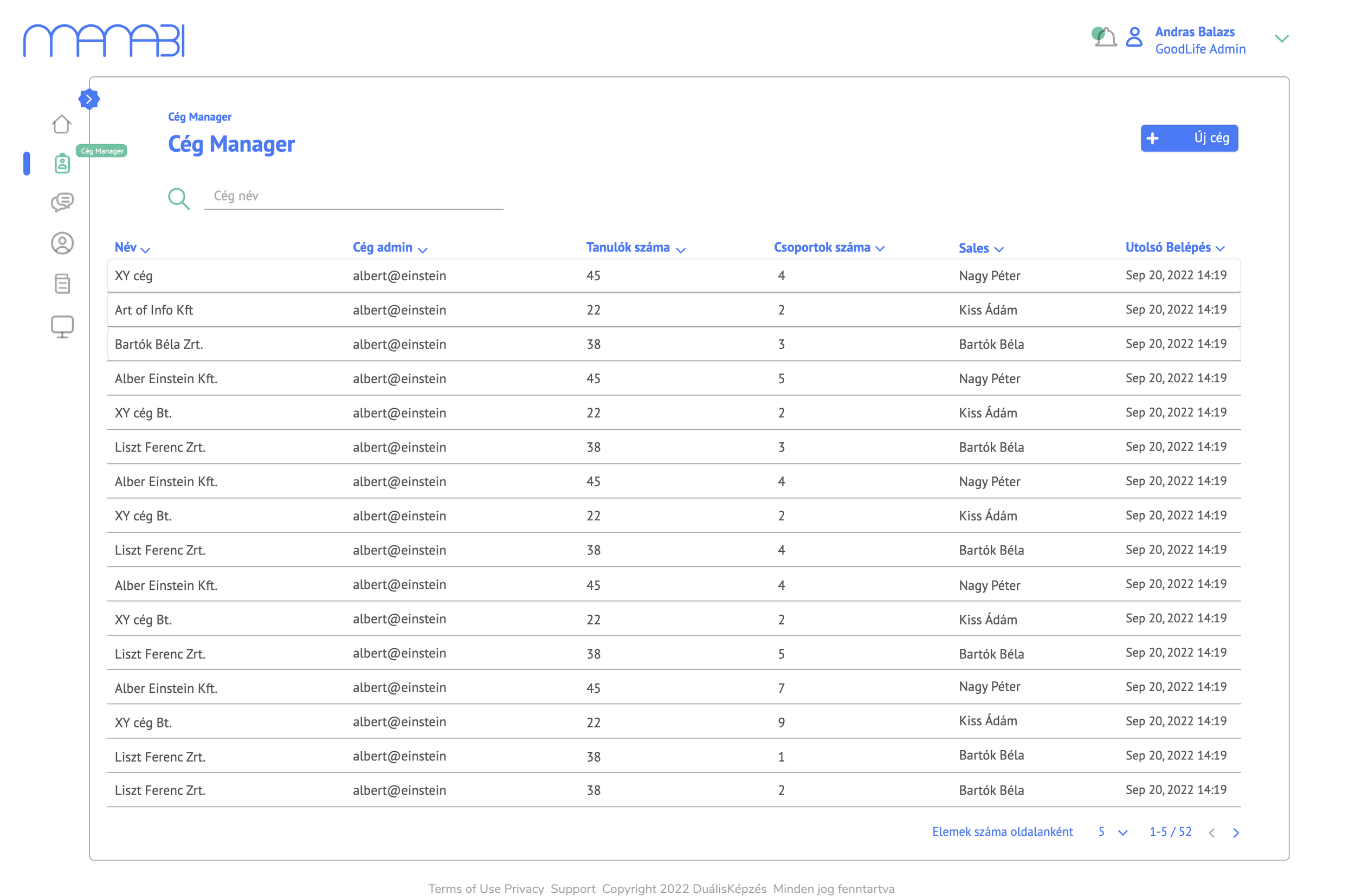
Manabi is a comprehensive digital platform designed to manage Hungary's dual vocational training system — connecting training centres, partner companies, and students in one unified ecosystem. The platform handles everything from company onboarding and document validation to course delivery, quiz management, progress tracking, messaging and reporting.
My role
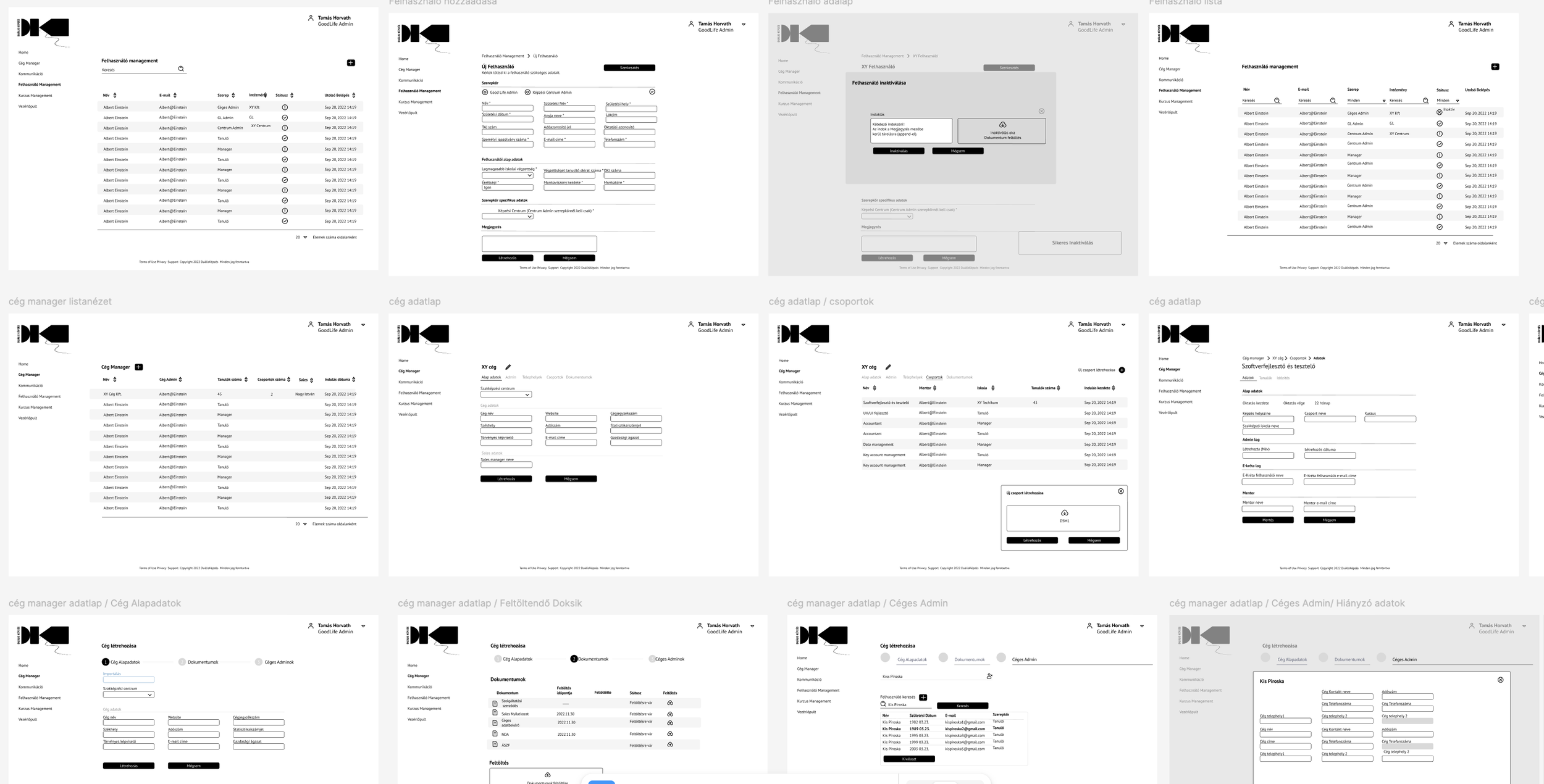
I was responsible for the full UX and UI design of the platform — from early concept sketches and wireframes through to final Figma prototypes. I worked closely with stakeholders, product managers, and developers throughout the entire process, participating in regular standups and design reviews.
Research
Research was conducted through in-depth interviews with stakeholders who had been involved in the dual training process from the beginning. As direct end-user access was limited during the MVP phase, these conversations were essential — they surfaced the real pain points, decision-making patterns, and workflow bottlenecks that shaped the platform's information architecture.
From these insights, I developed user personas that the team actively referenced and reflected on throughout the design process. The personas helped align the cross-functional team around shared user goals.
A complex multi-role system
The platform serves three fundamentally different types of users — training centre administrators, company admins, and students — each with completely different needs, workflows, and mental models. The core challenge was to design a system that feels intuitive for all three, without compromising on the depth of functionality required by each role.
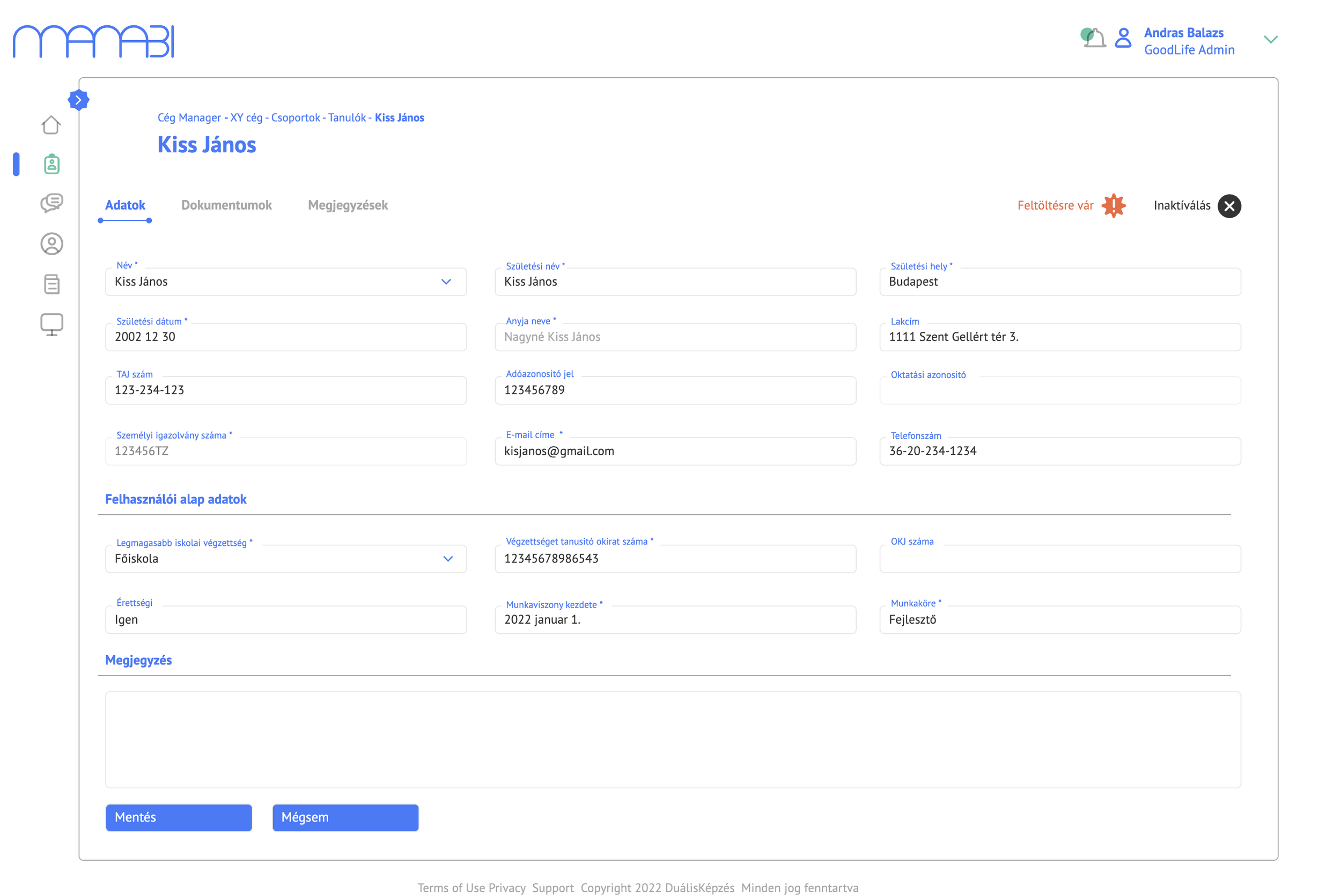
The existing processes were largely paper-based and fragmented across spreadsheets and emails. Manabi needed to digitise the entire lifecycle of a dual training programme — from company registration and contract signing to course completion and certification.
Key Design Decisions
1. Role-based dashboards
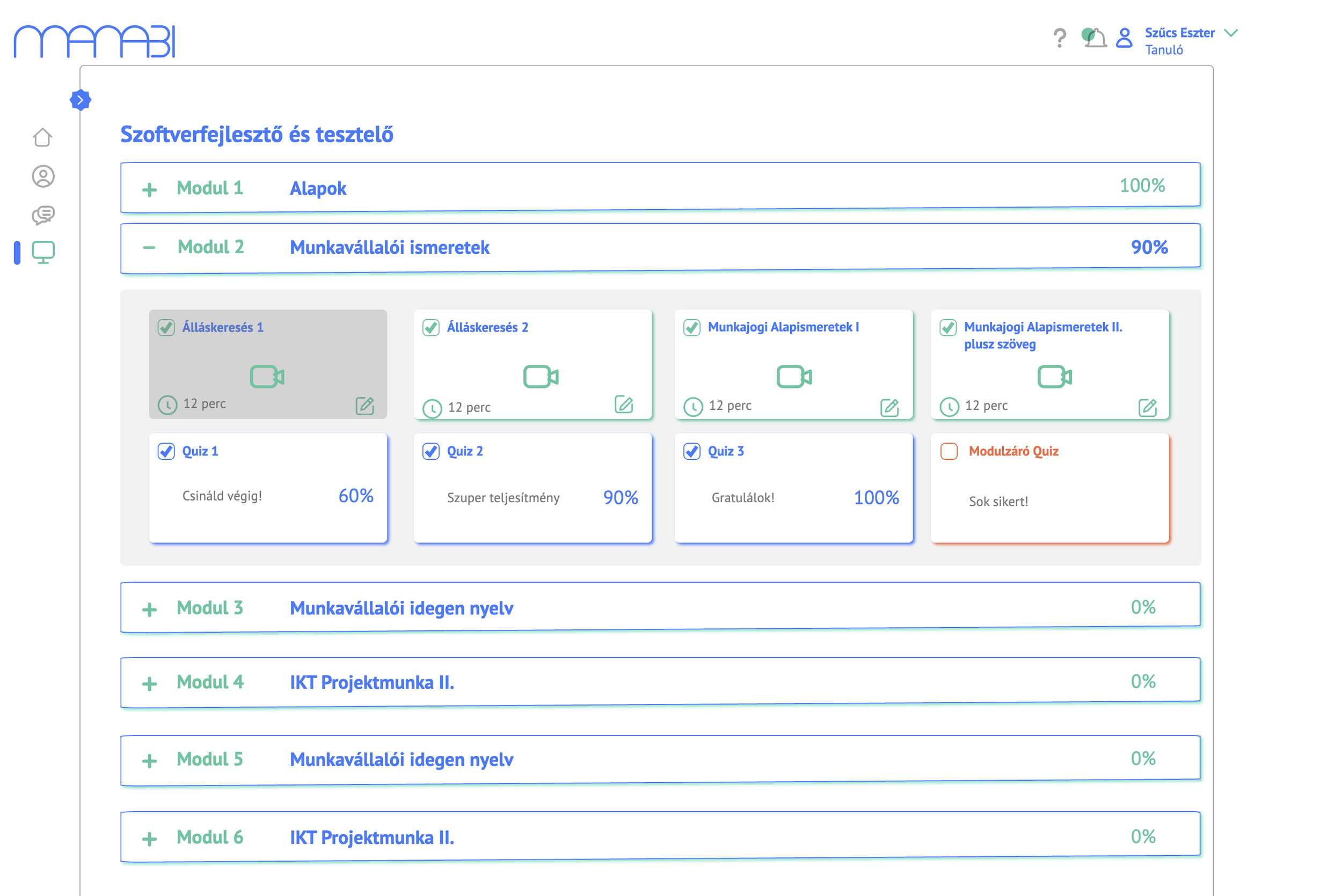
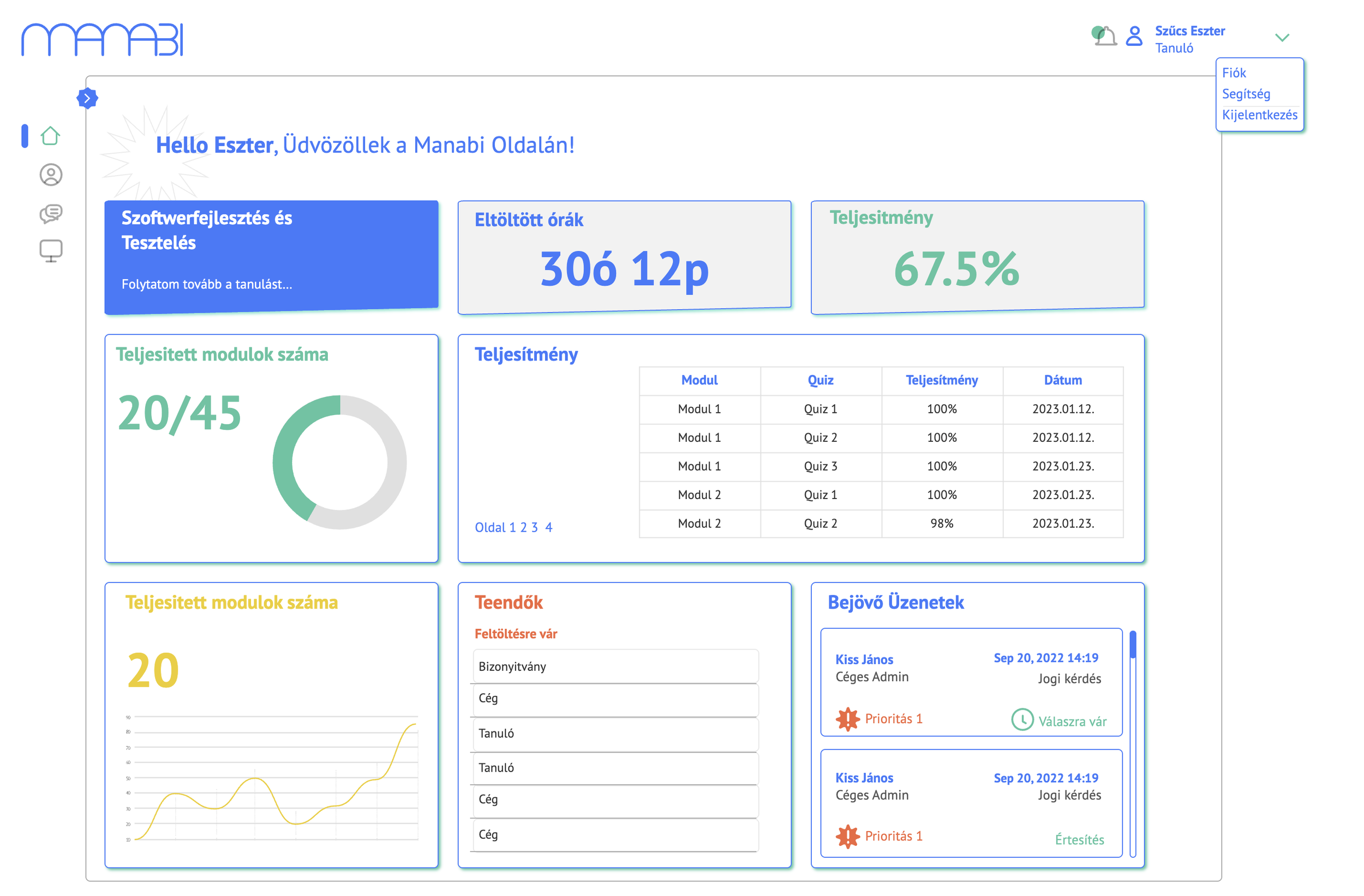
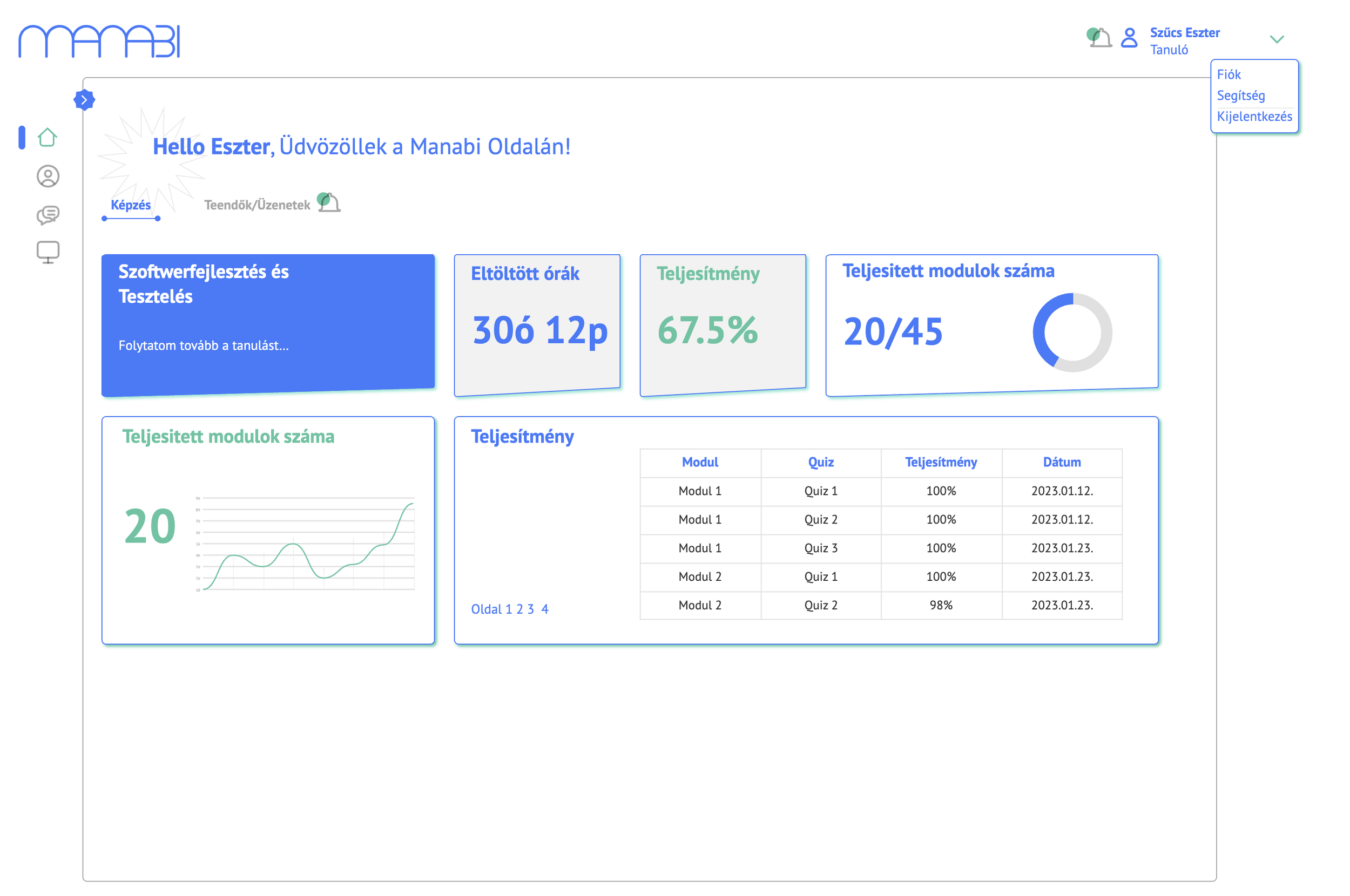
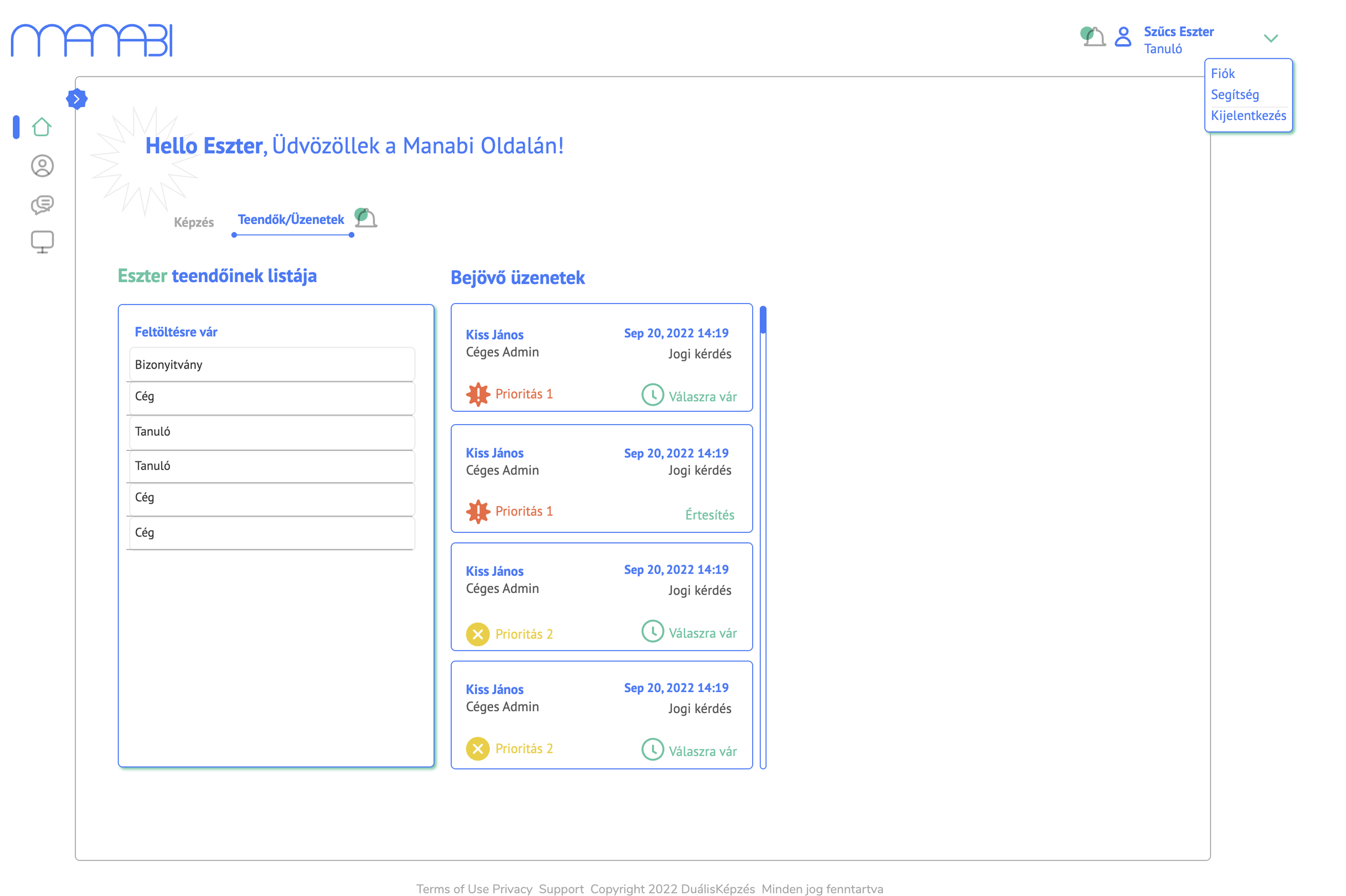
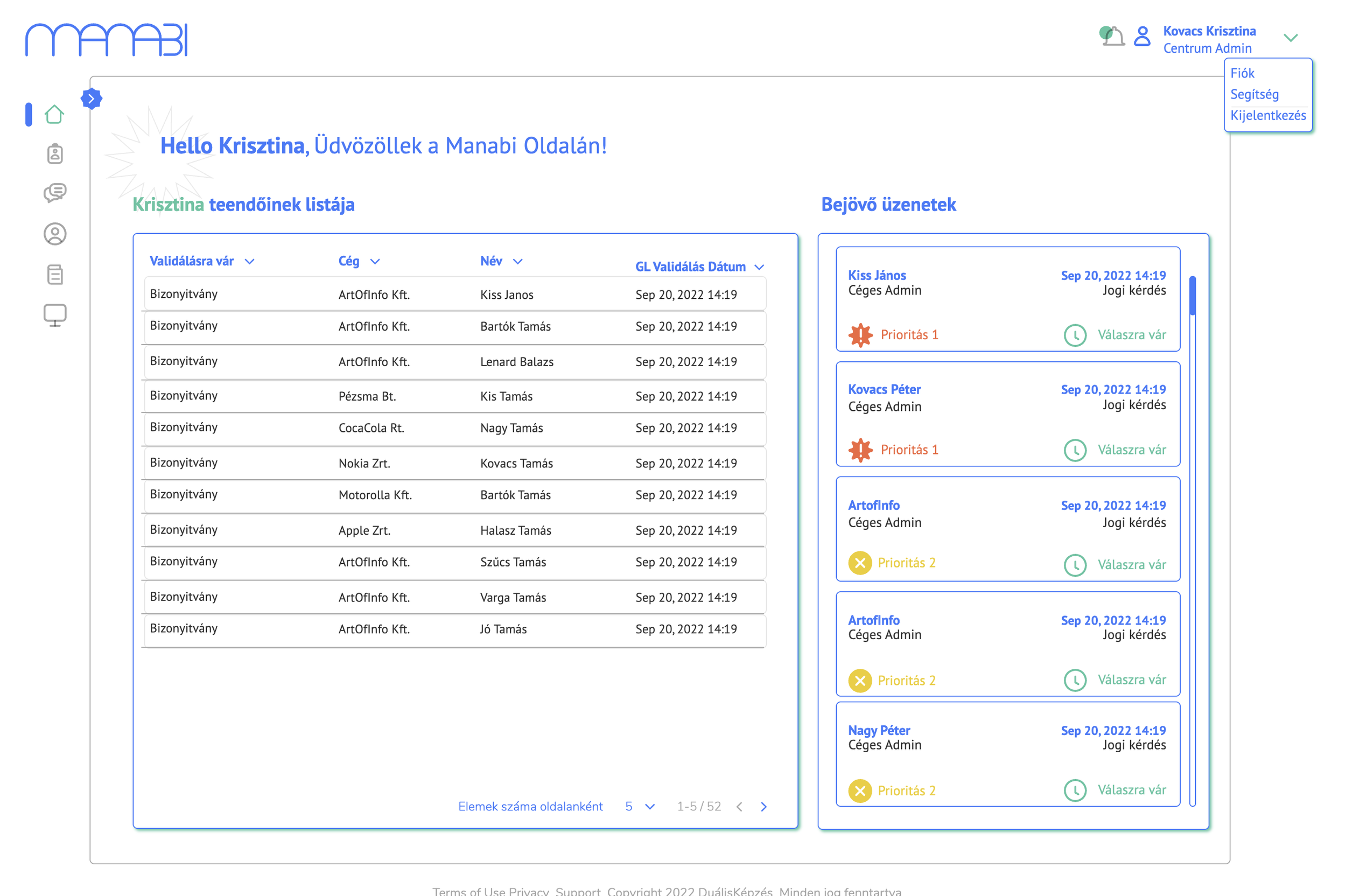
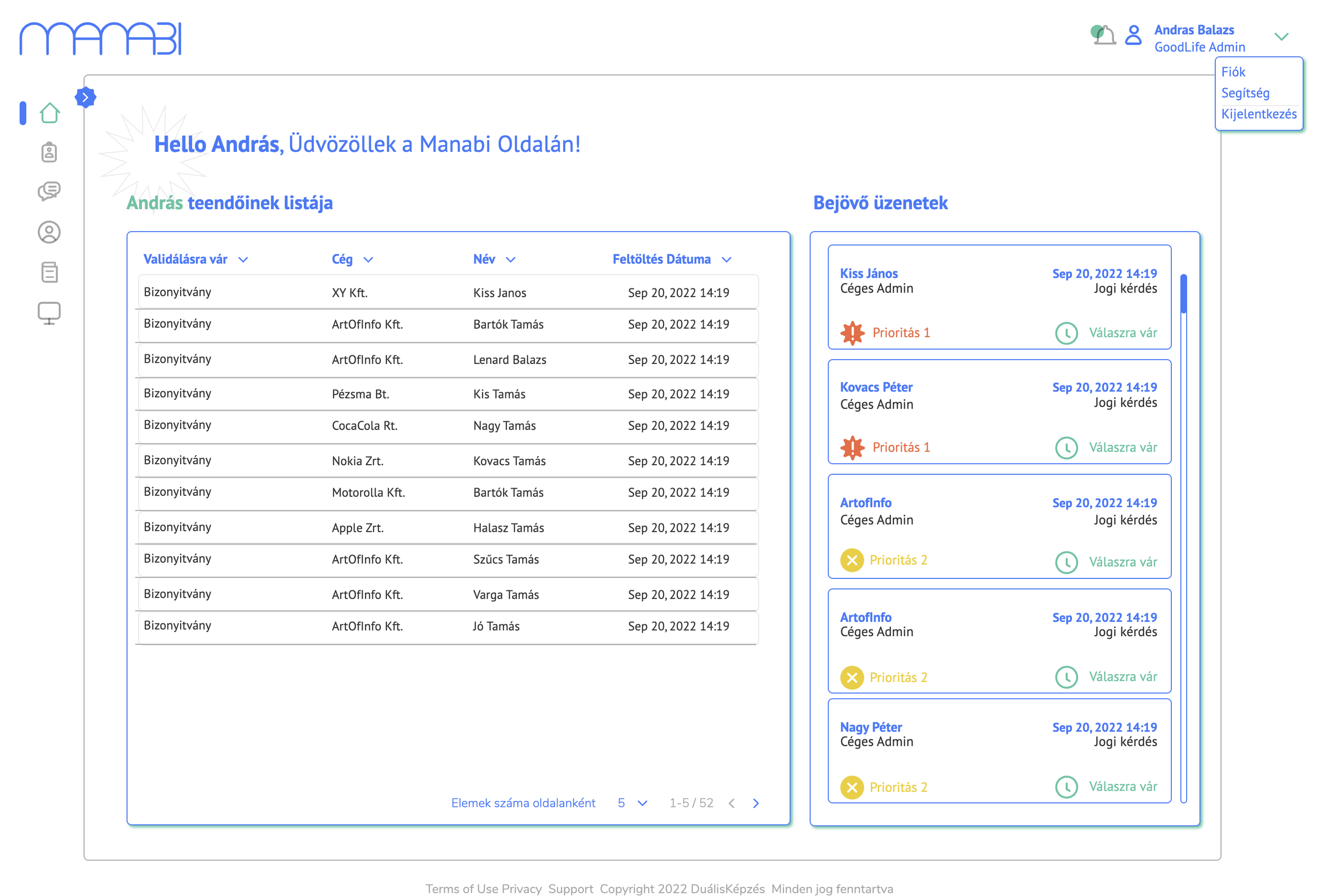
Each user type receives a personalised dashboard upon login. A student sees their active course, hours spent, performance metrics, and upcoming to-dos. An admin sees pending validations, incoming messages, and company-wide task lists. This role-based approach ensures every user lands in the right context immediately, without unnecessary navigation.
2. Document management with visual status system
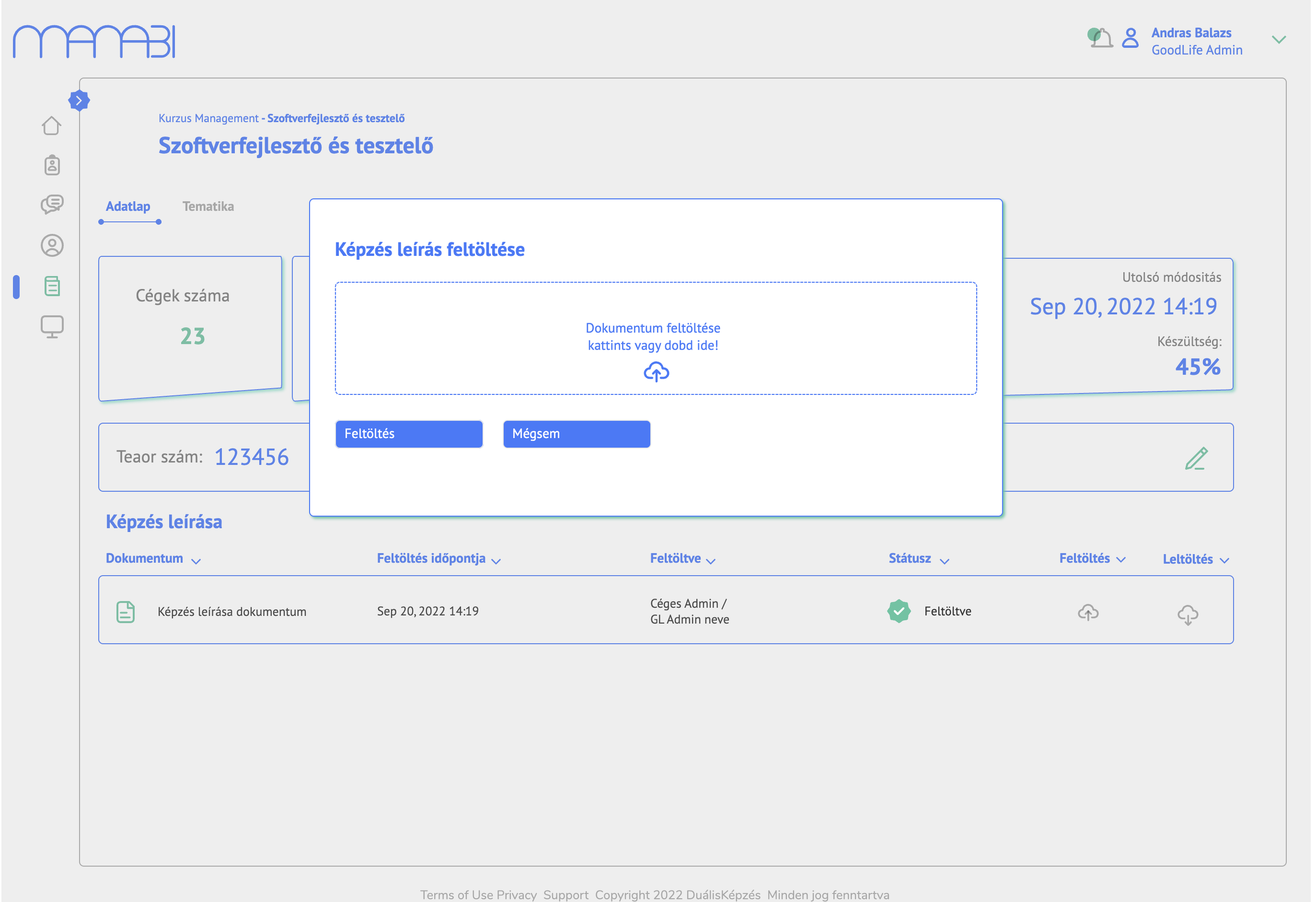
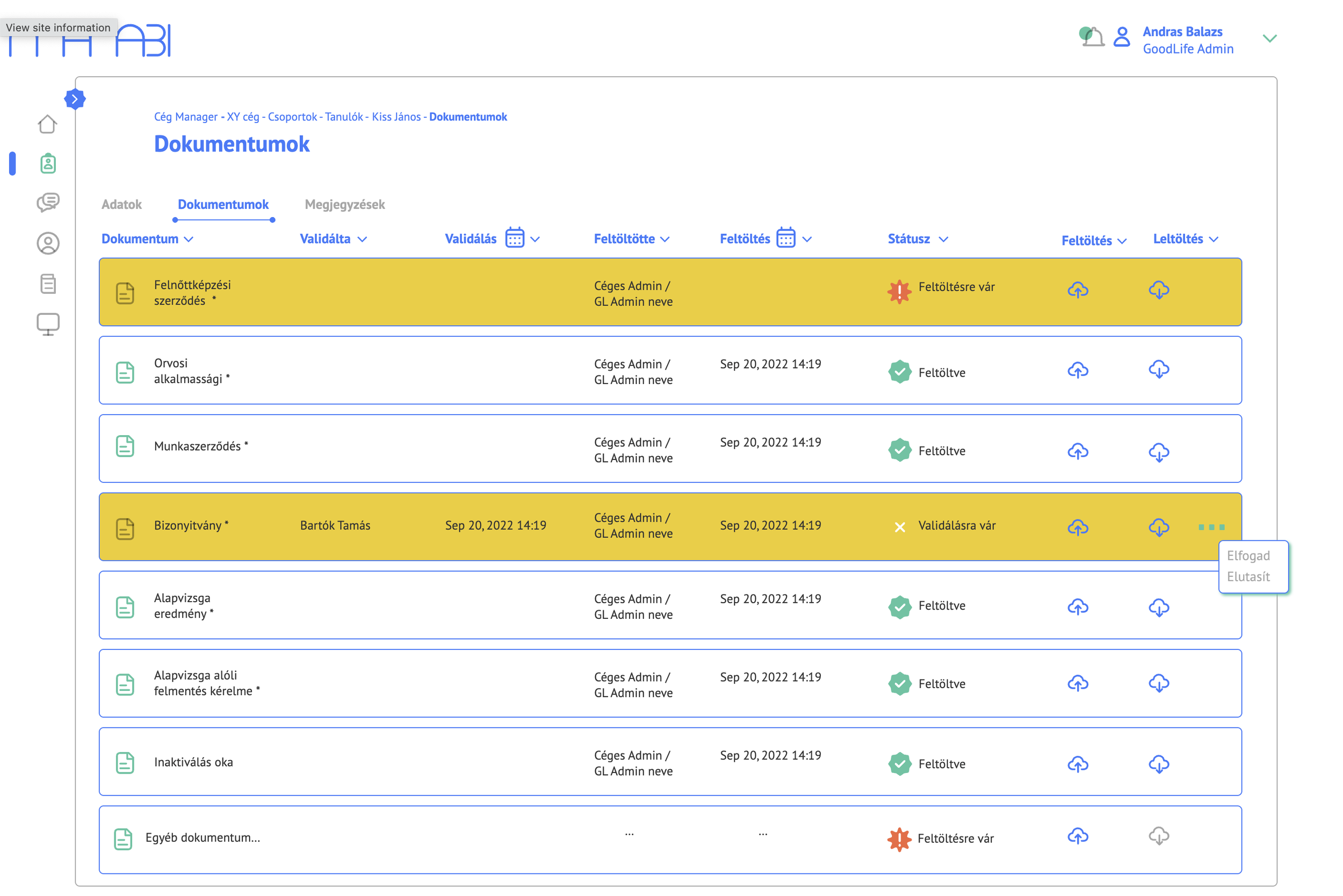
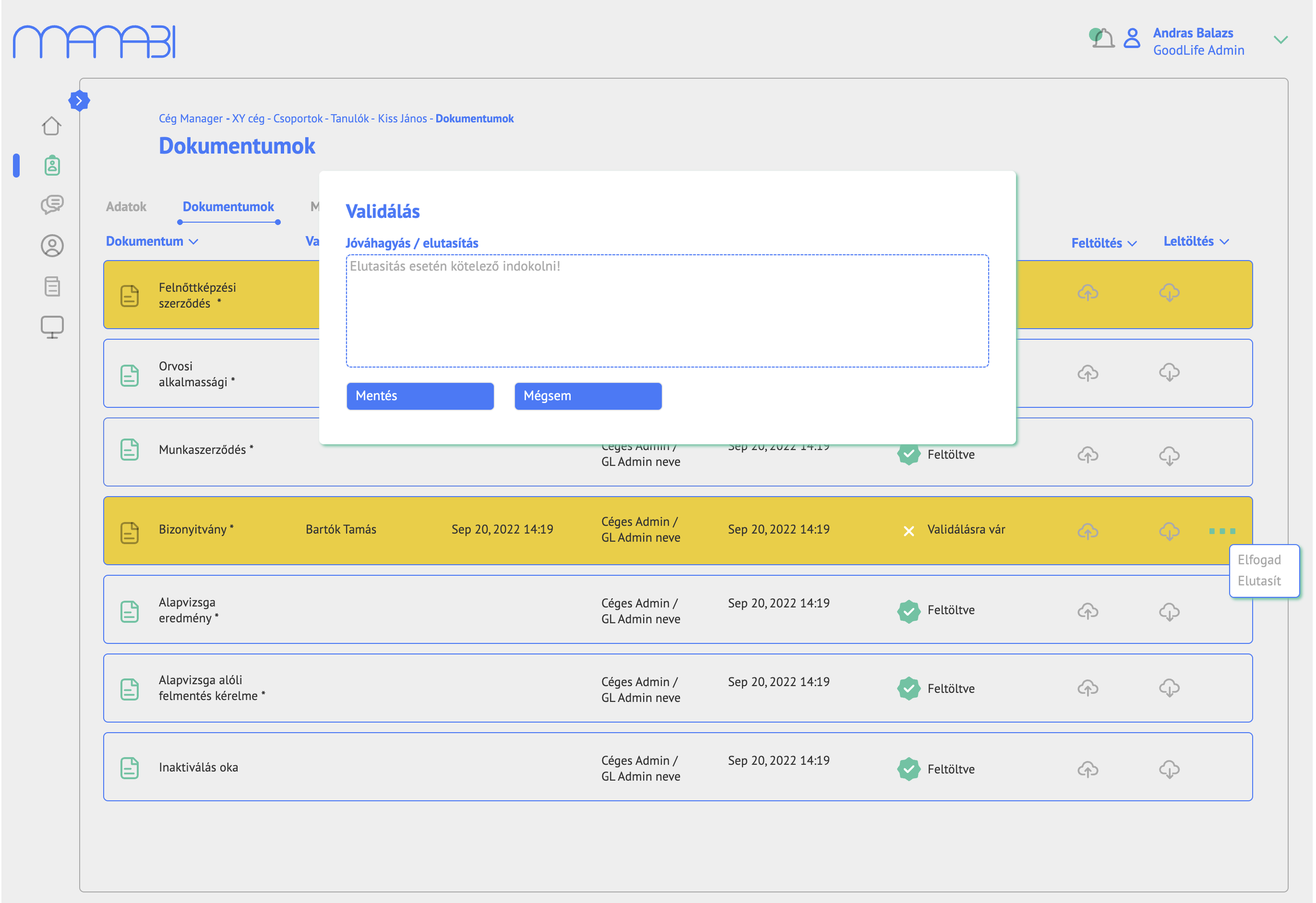
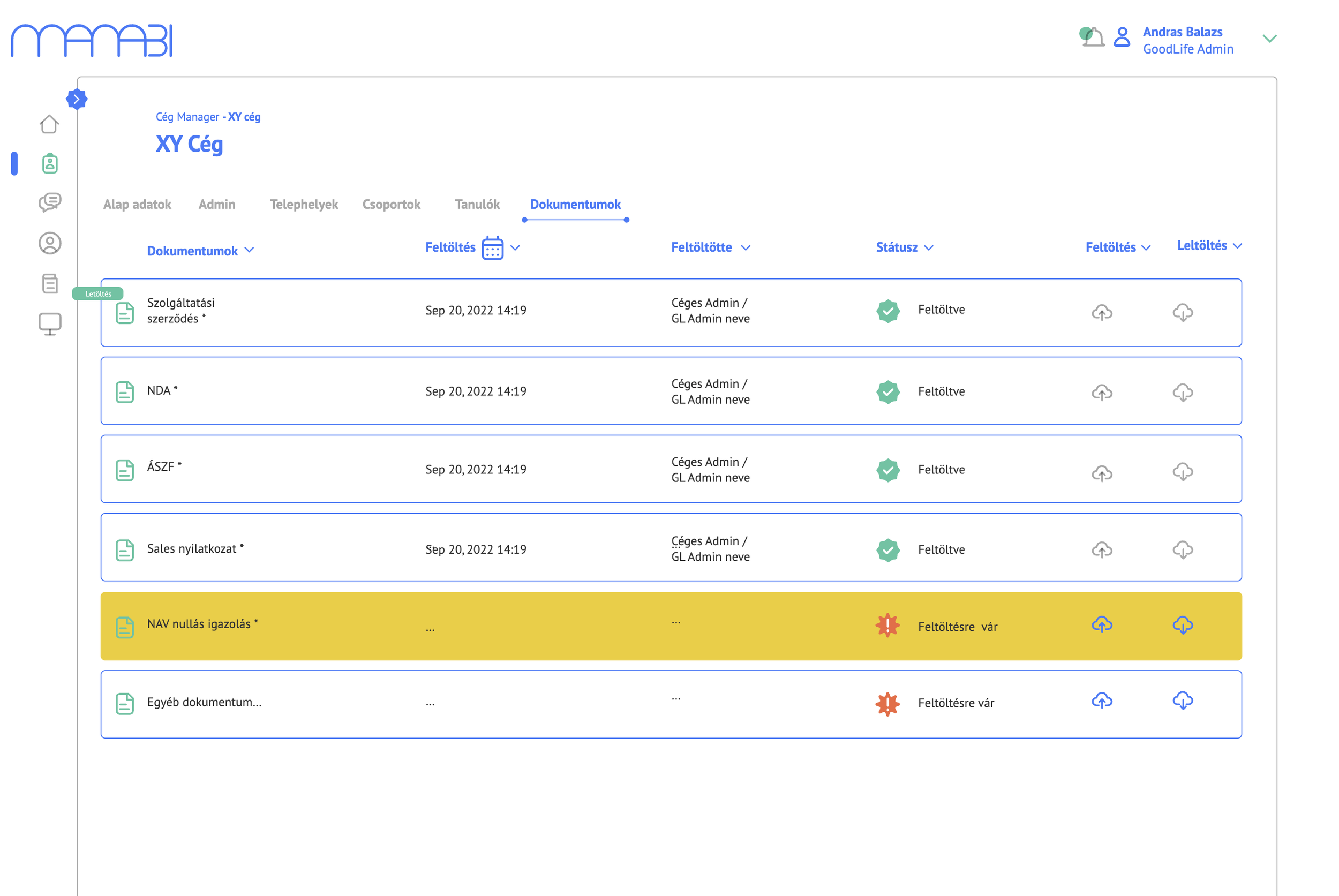
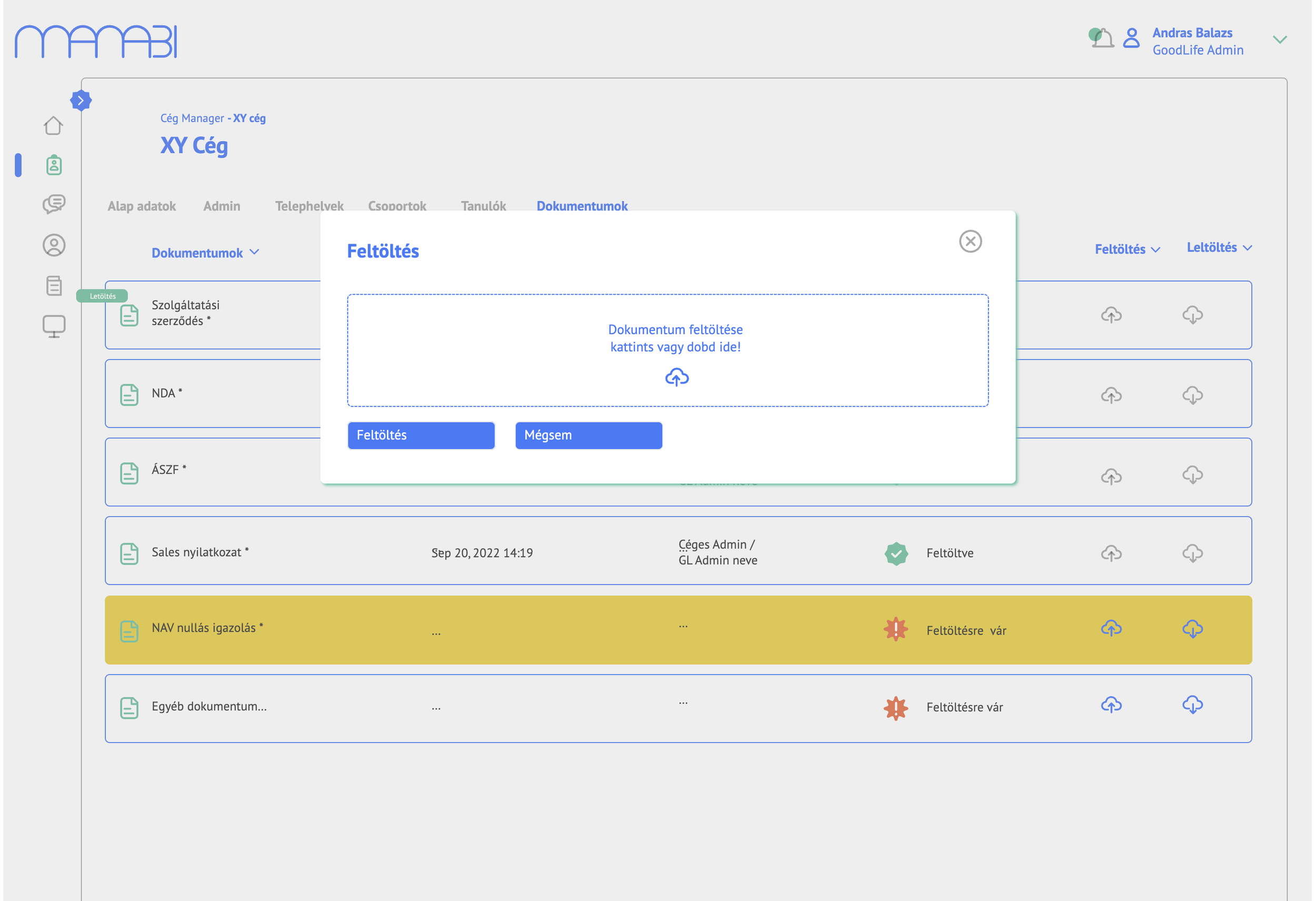
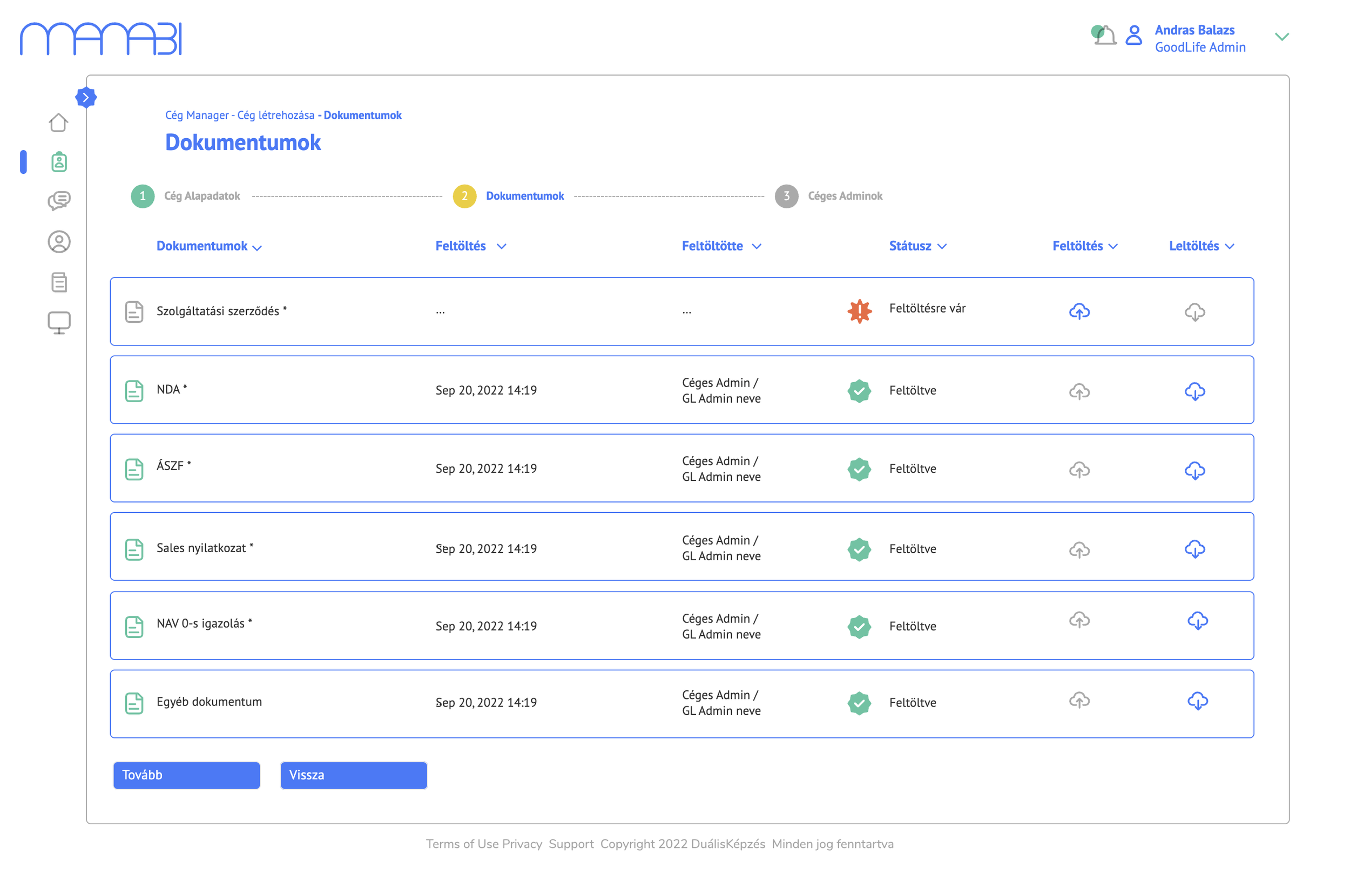
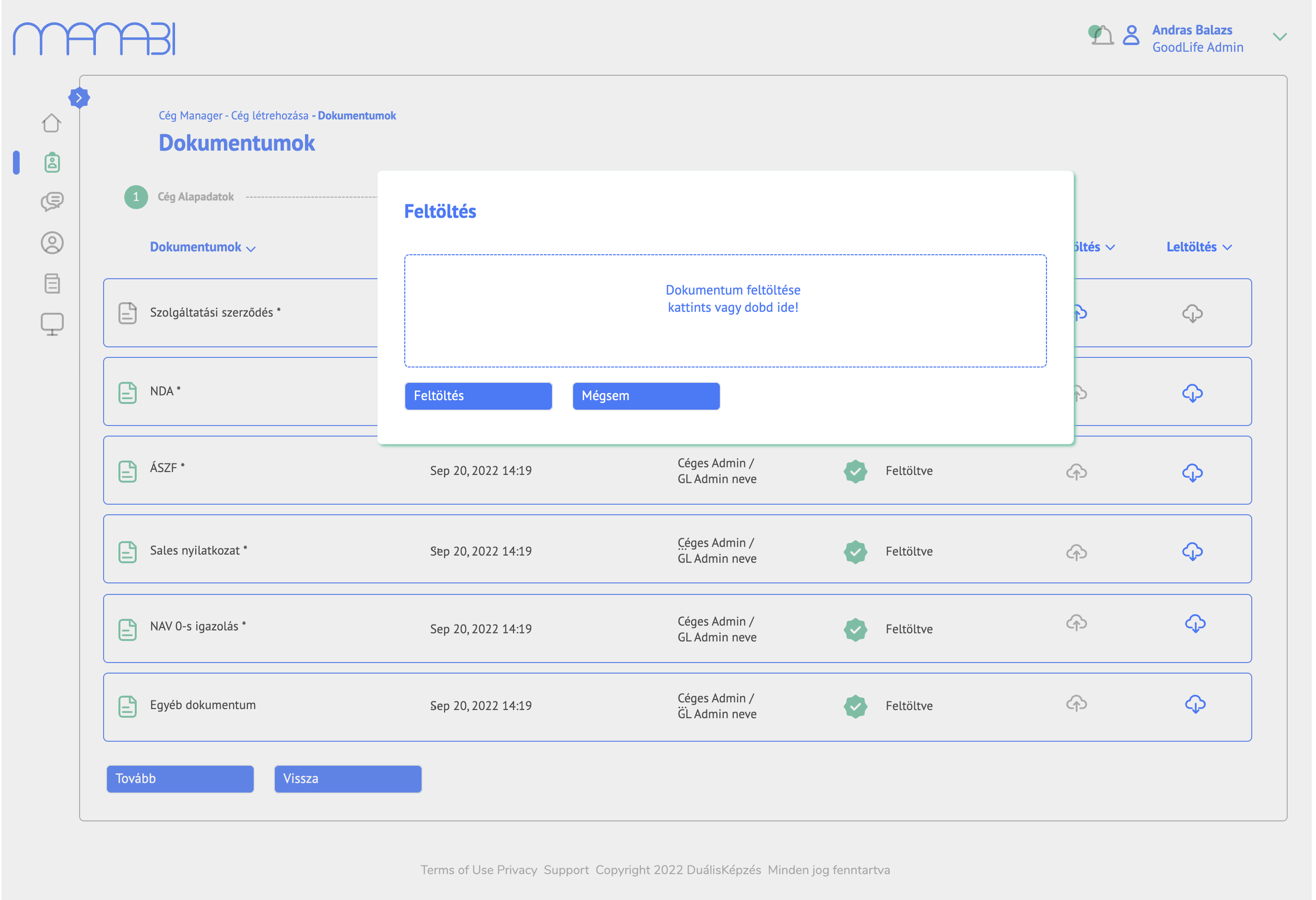
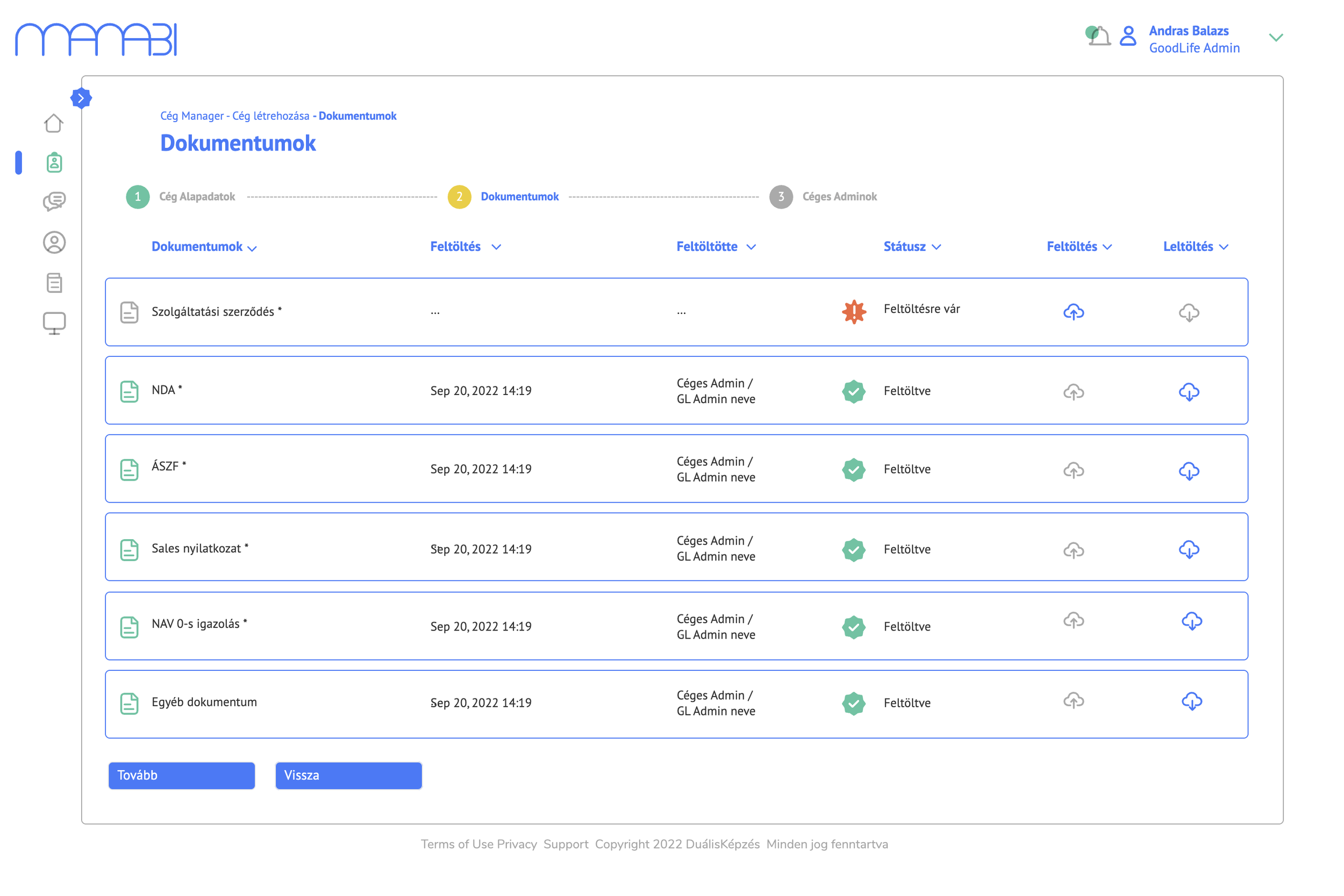
One of the most critical workflows in the platform is document collection and validation. I designed a colour-coded status system — green for uploaded and approved, yellow for pending, red for missing or rejected — allowing admins to assess compliance at a glance. Validation decisions (approve / reject with mandatory reasoning) are handled via contextual modals, keeping users in flow.
3. Stepped company onboarding flow
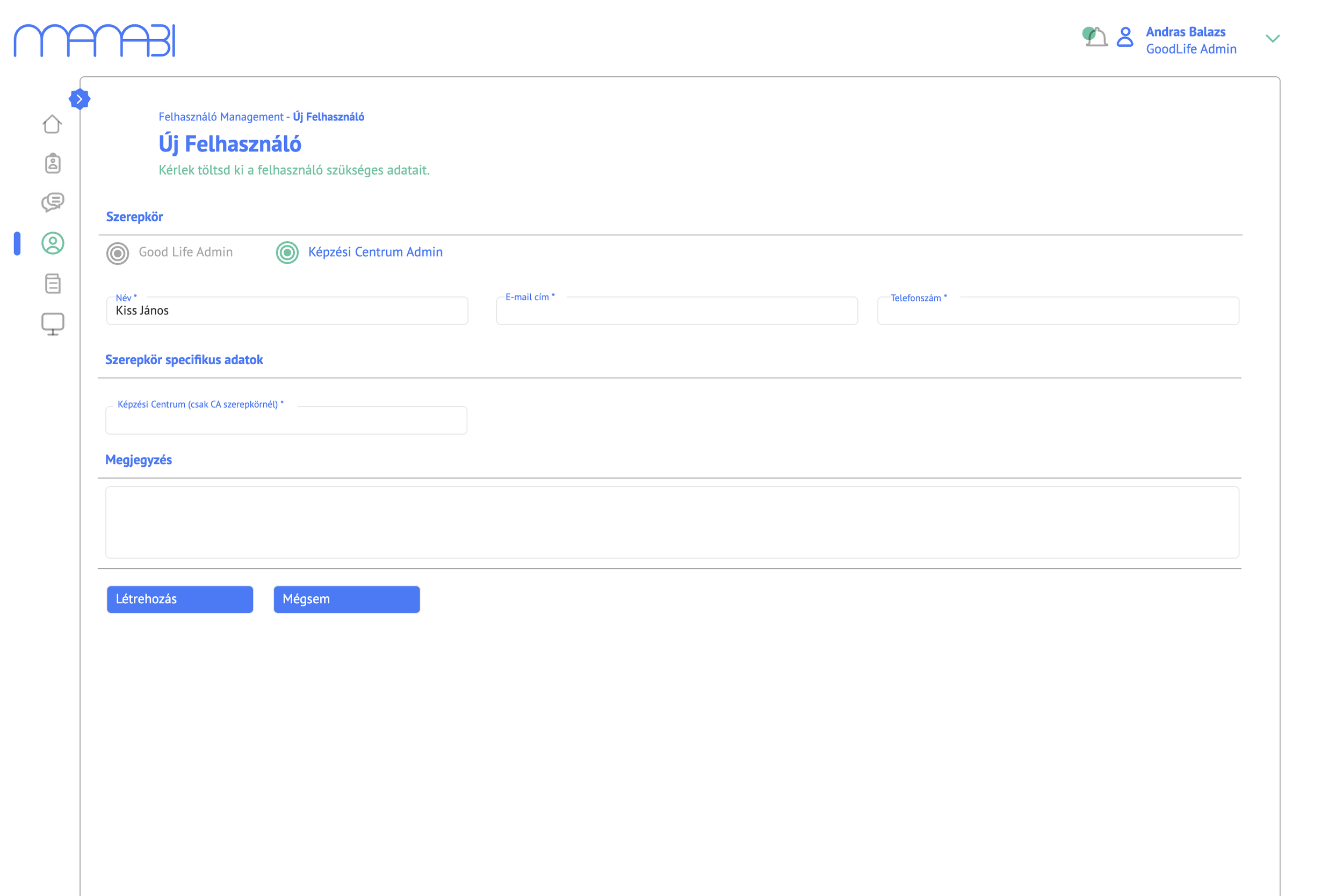
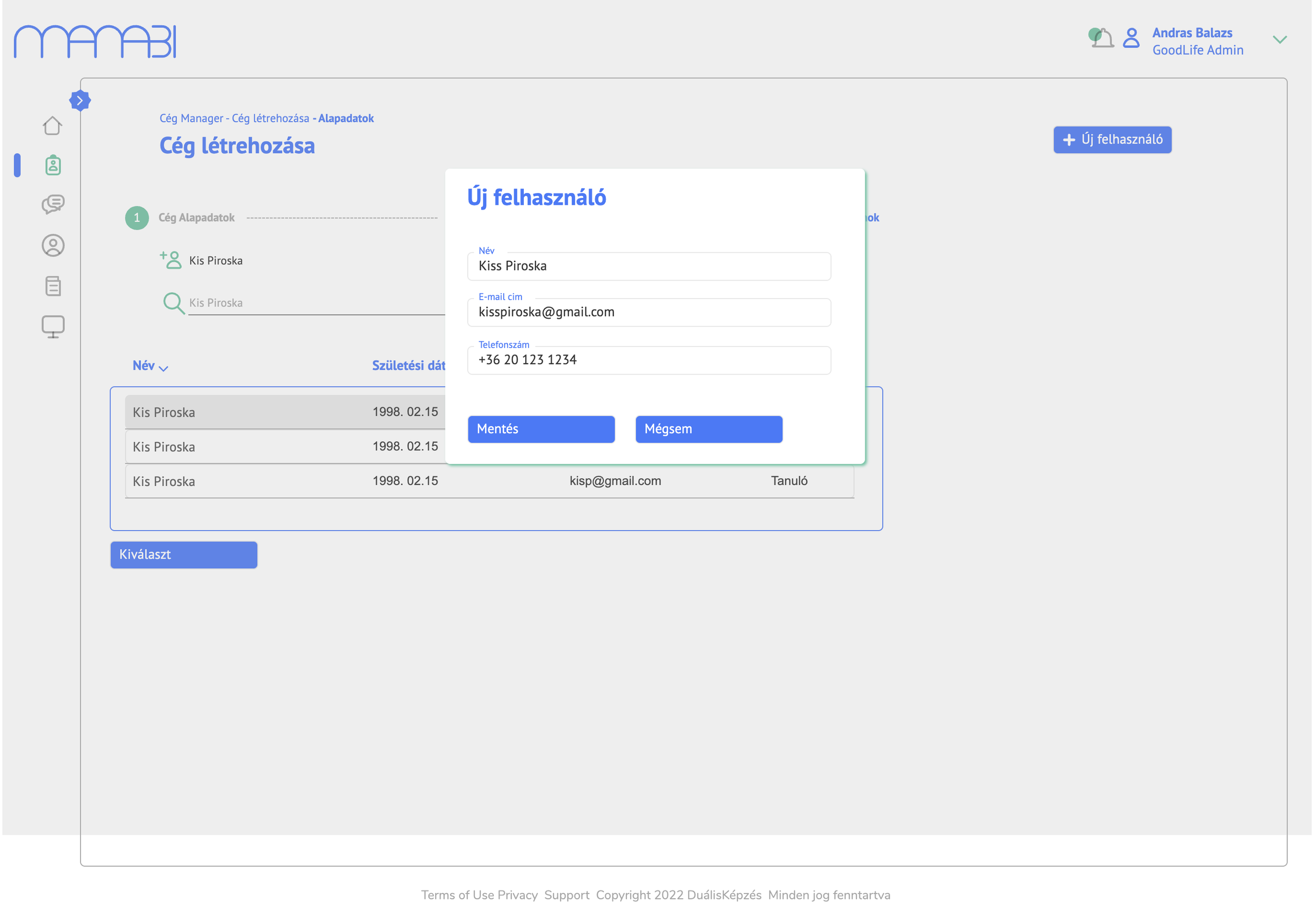
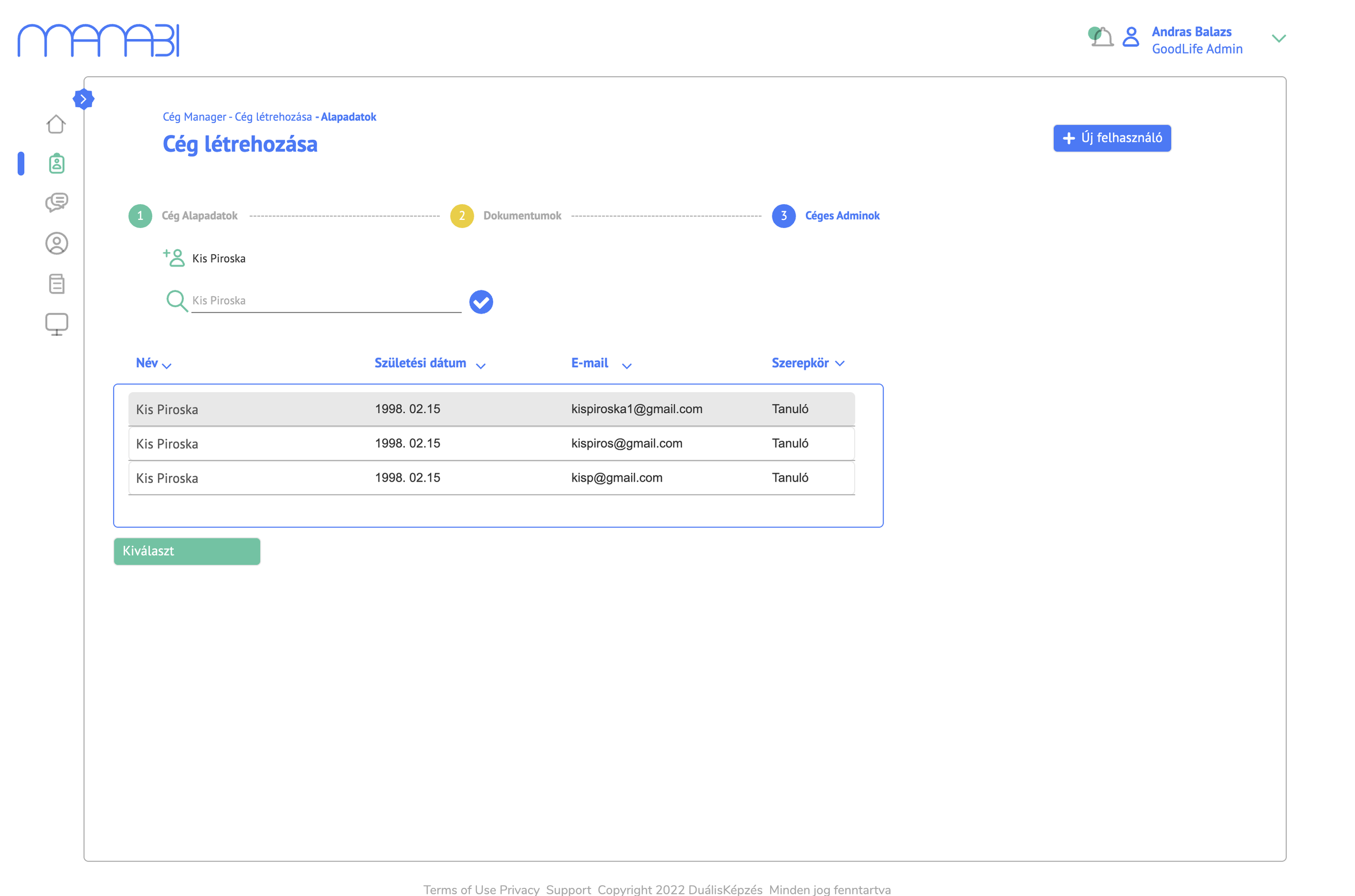
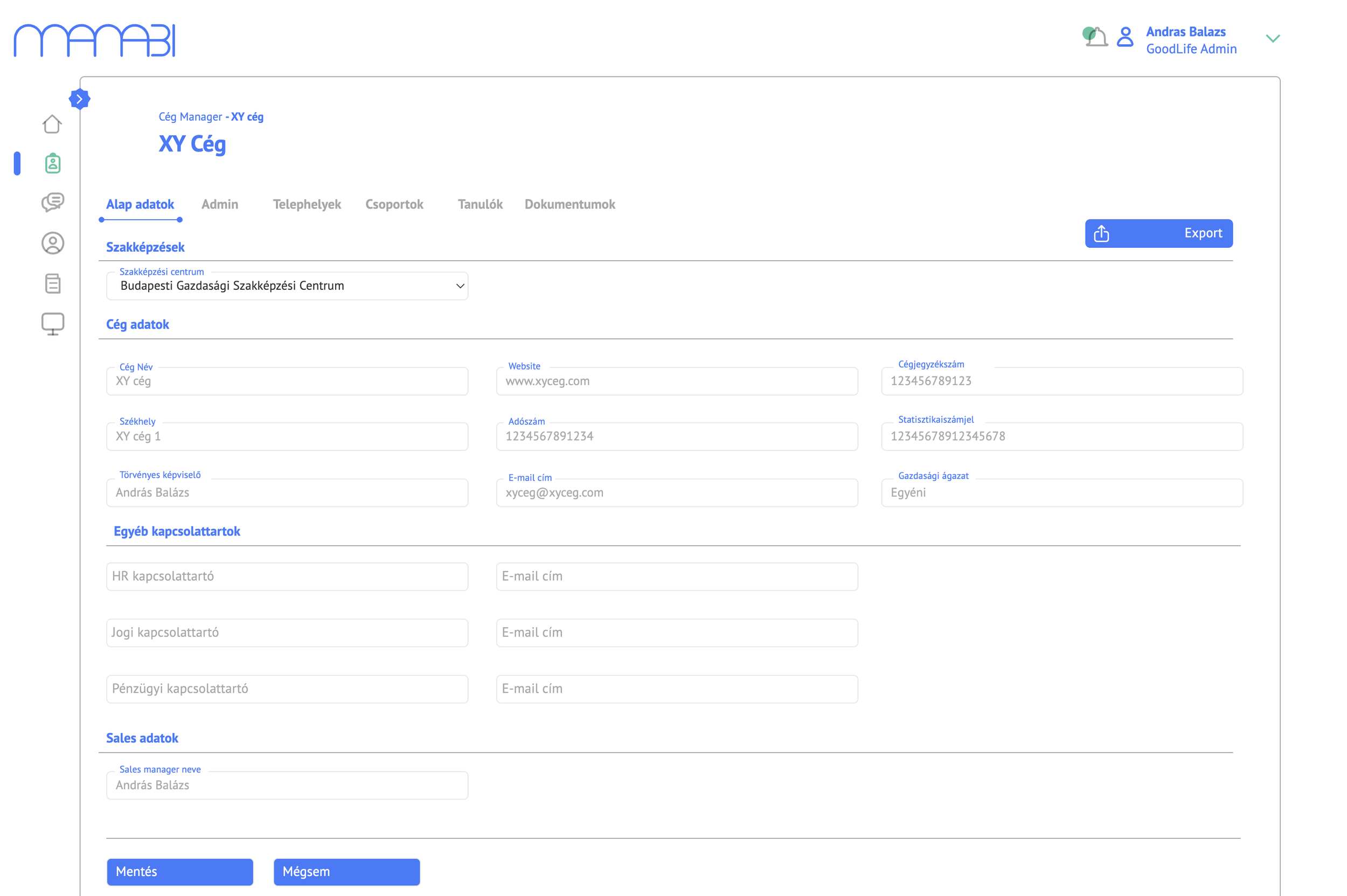
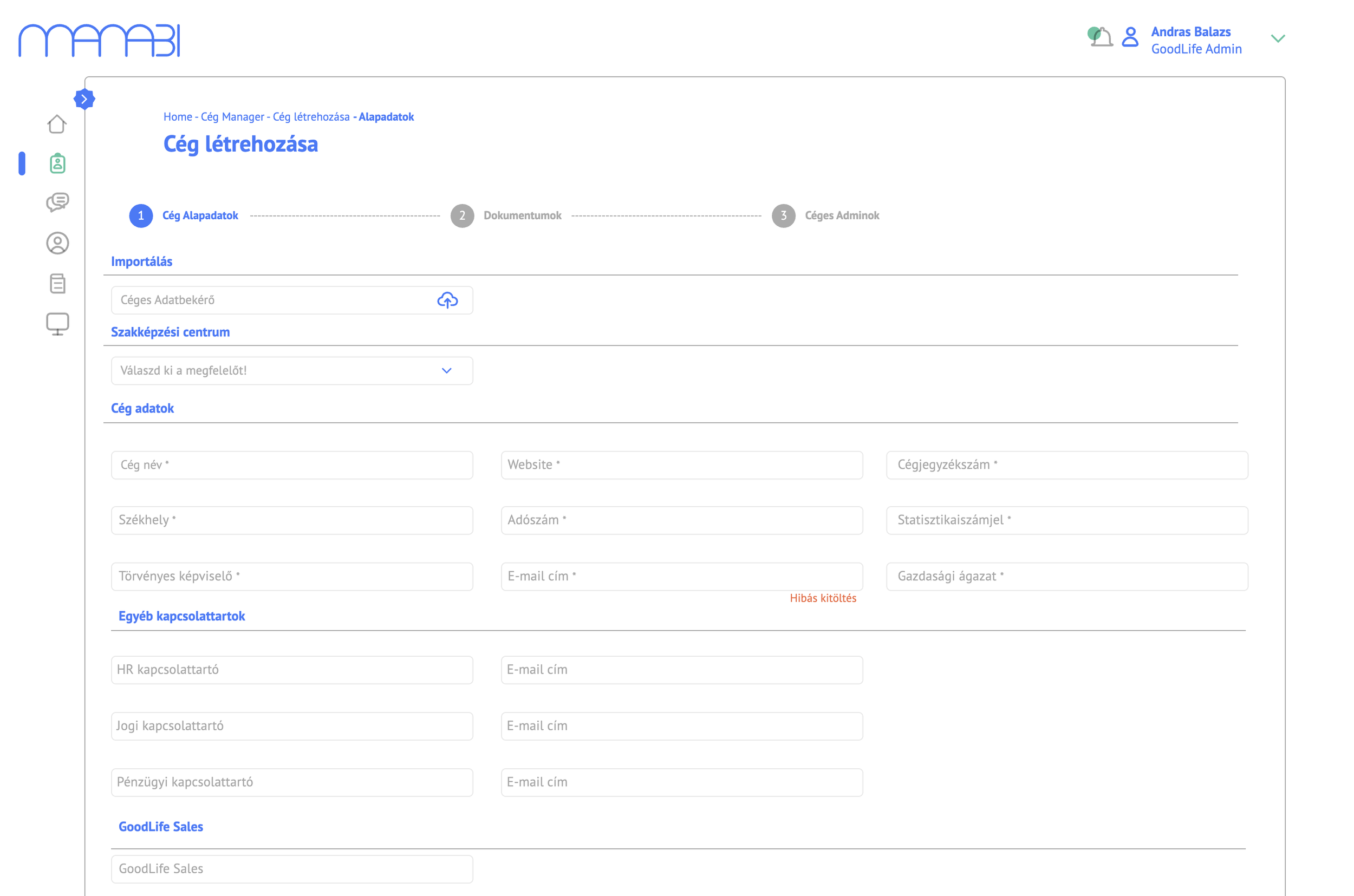
Creating a new company partner involves collecting company data, uploading documents, and assigning admins. I structured this as a clearly labelled 3-step wizard — Cég Alapadatok → Dokumentumok → Céges Adminok — reducing cognitive load and making the process recoverable at any point.
4. Course and quiz management
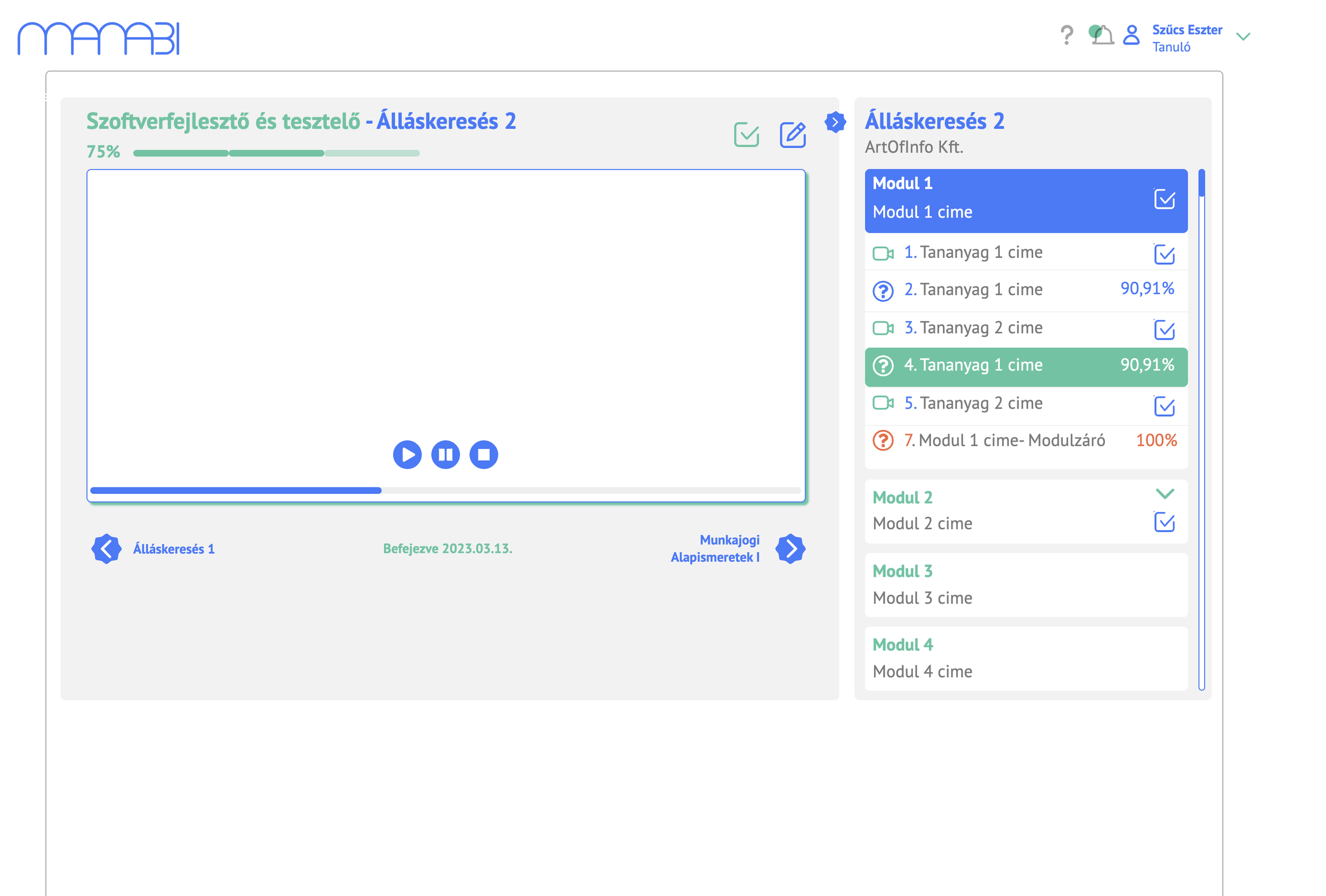
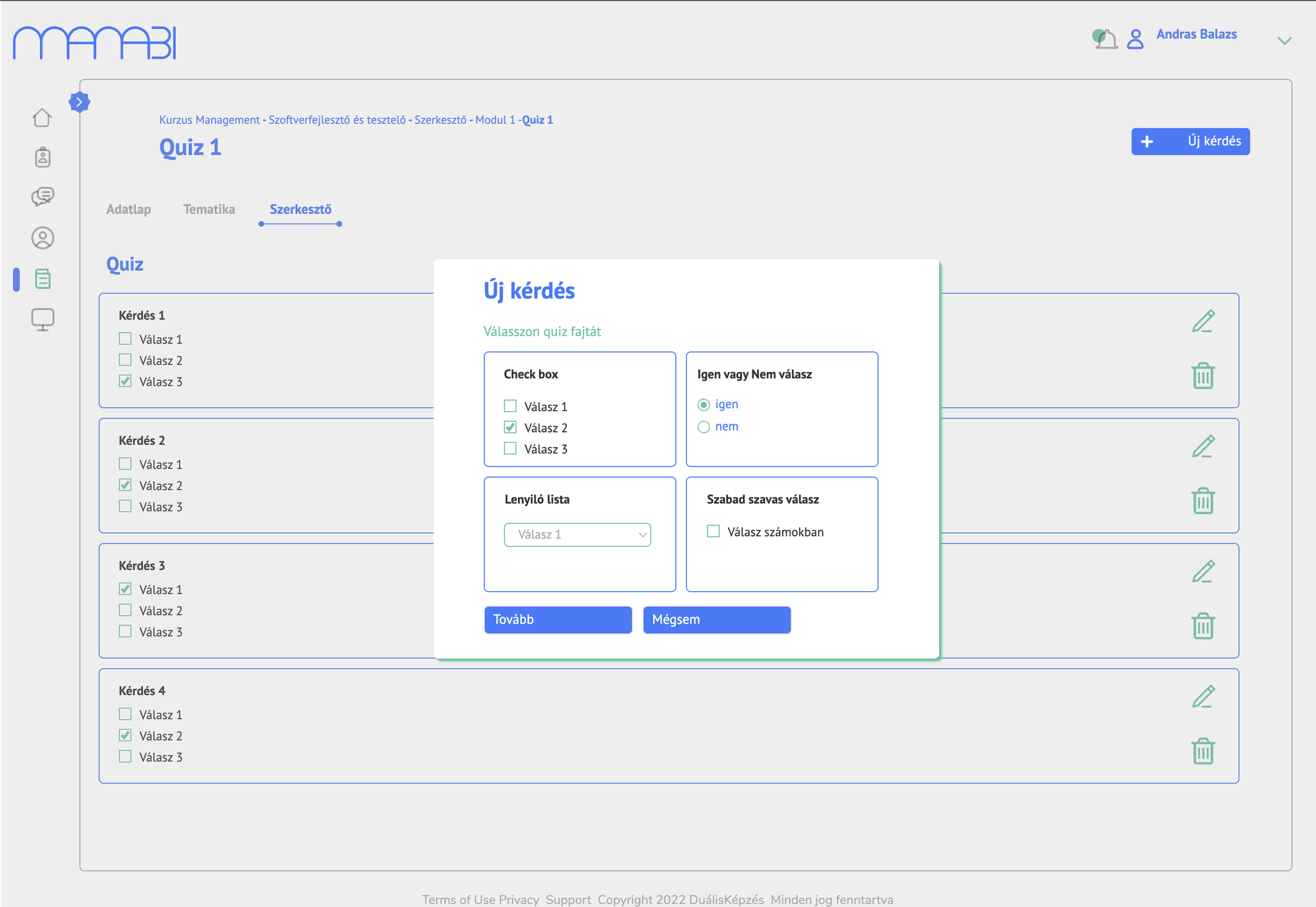
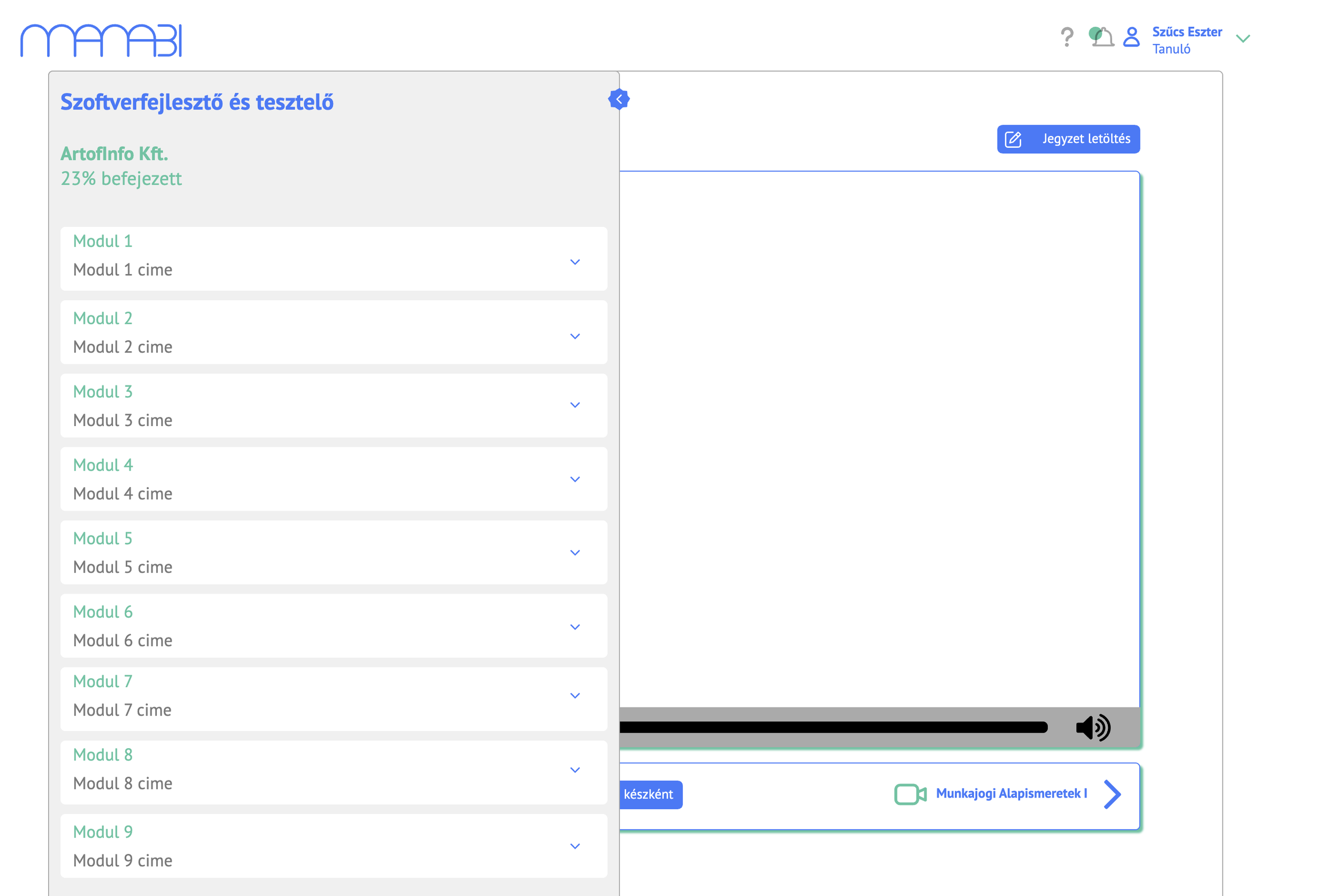
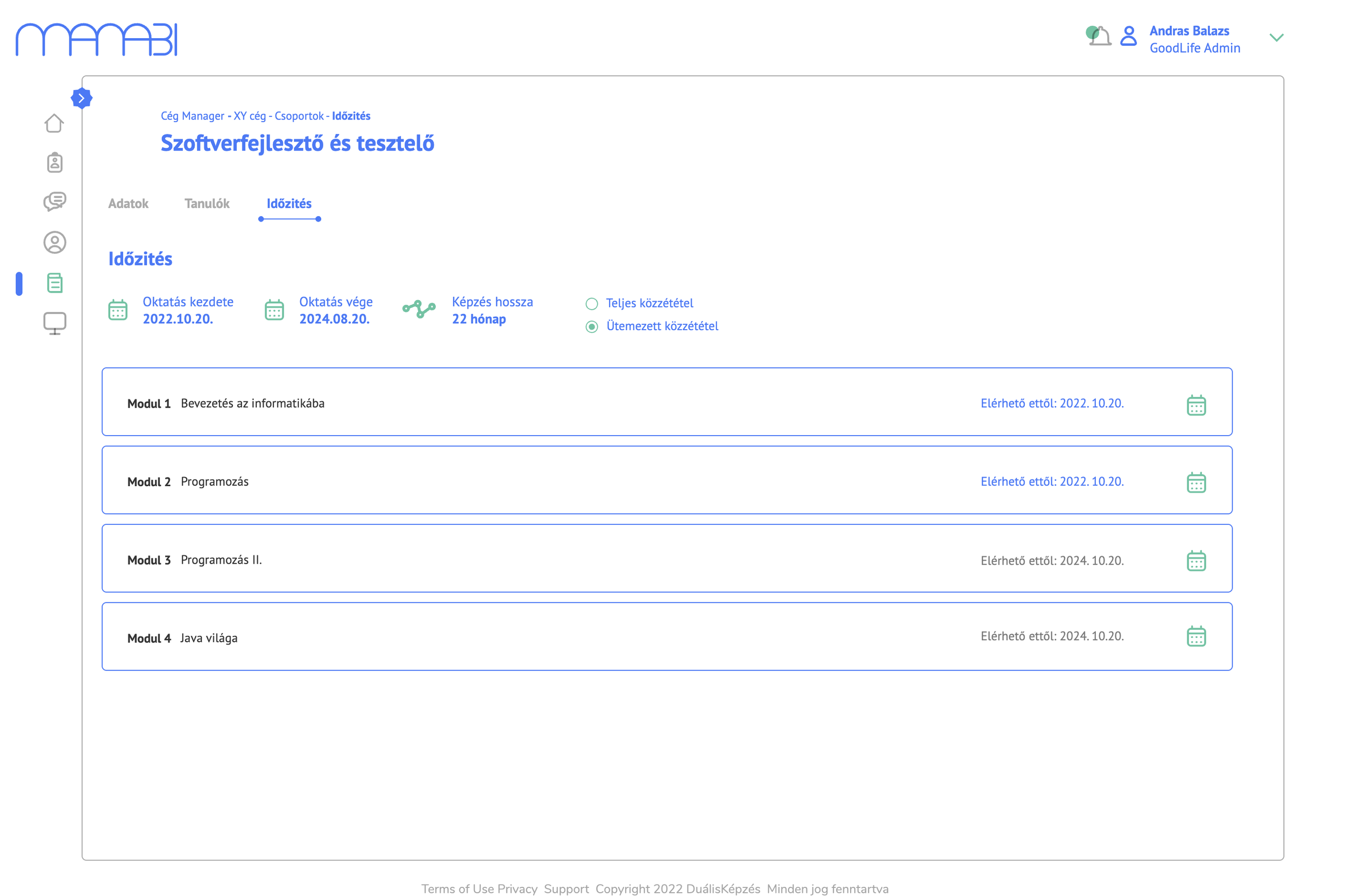
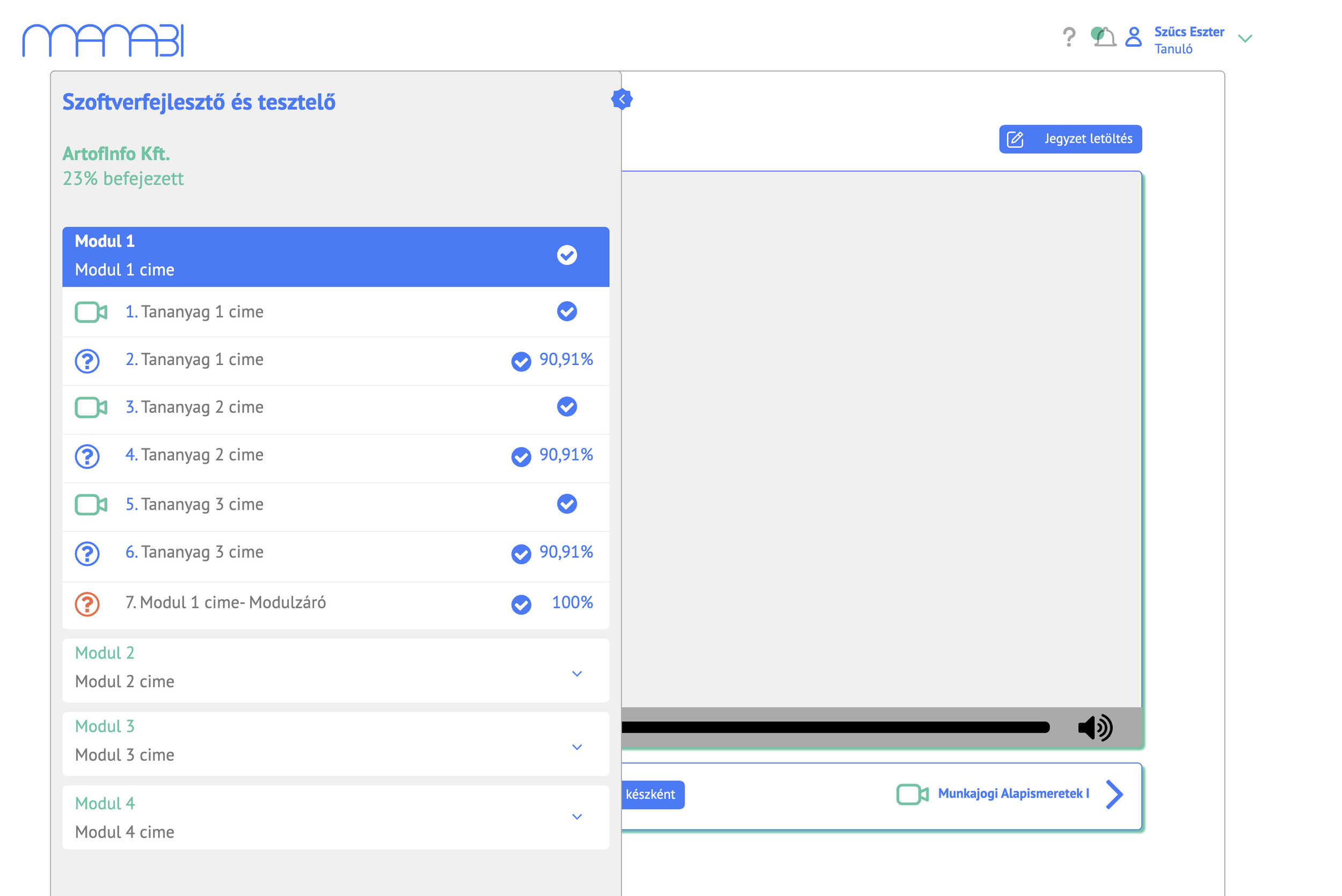
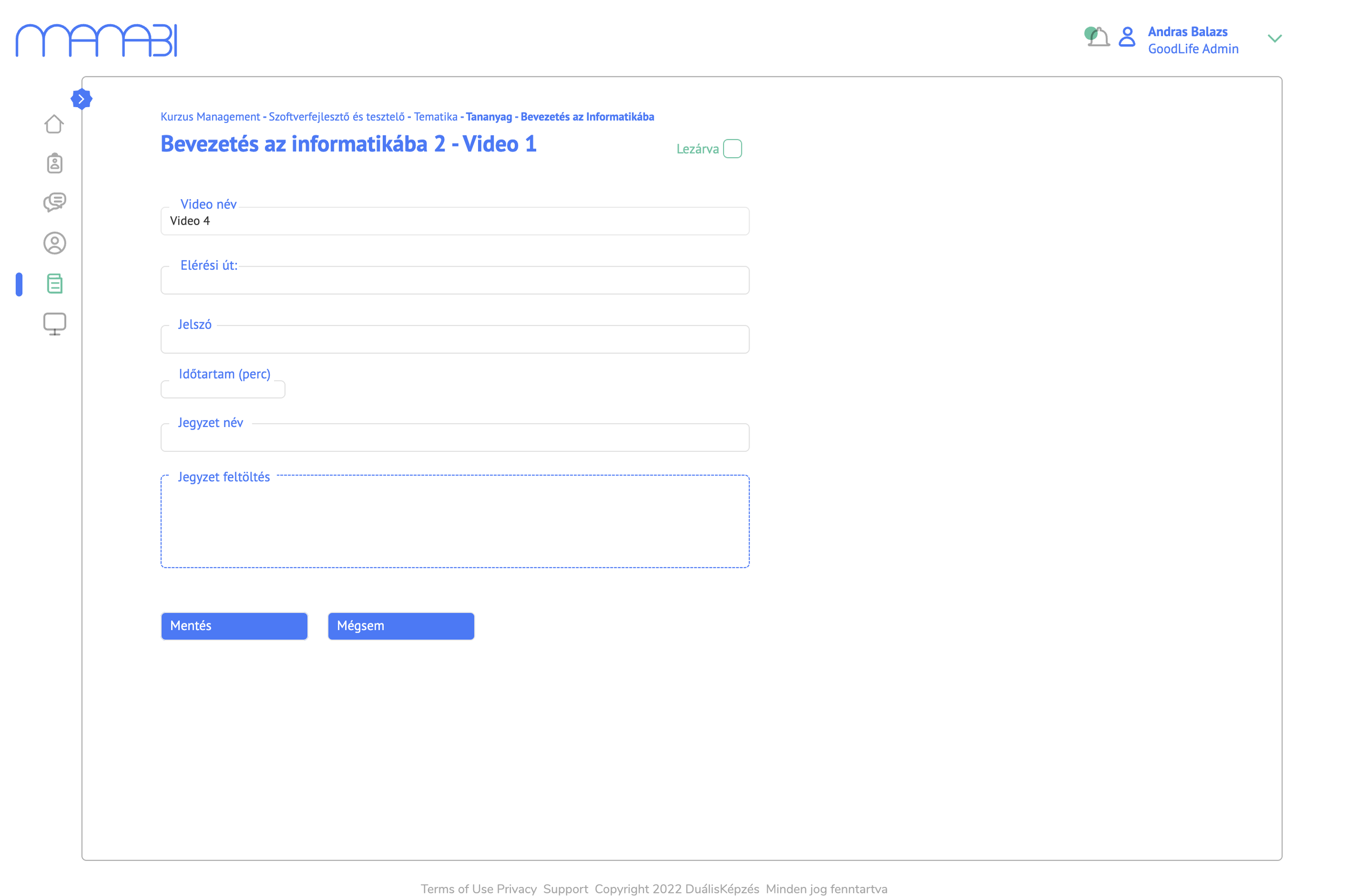
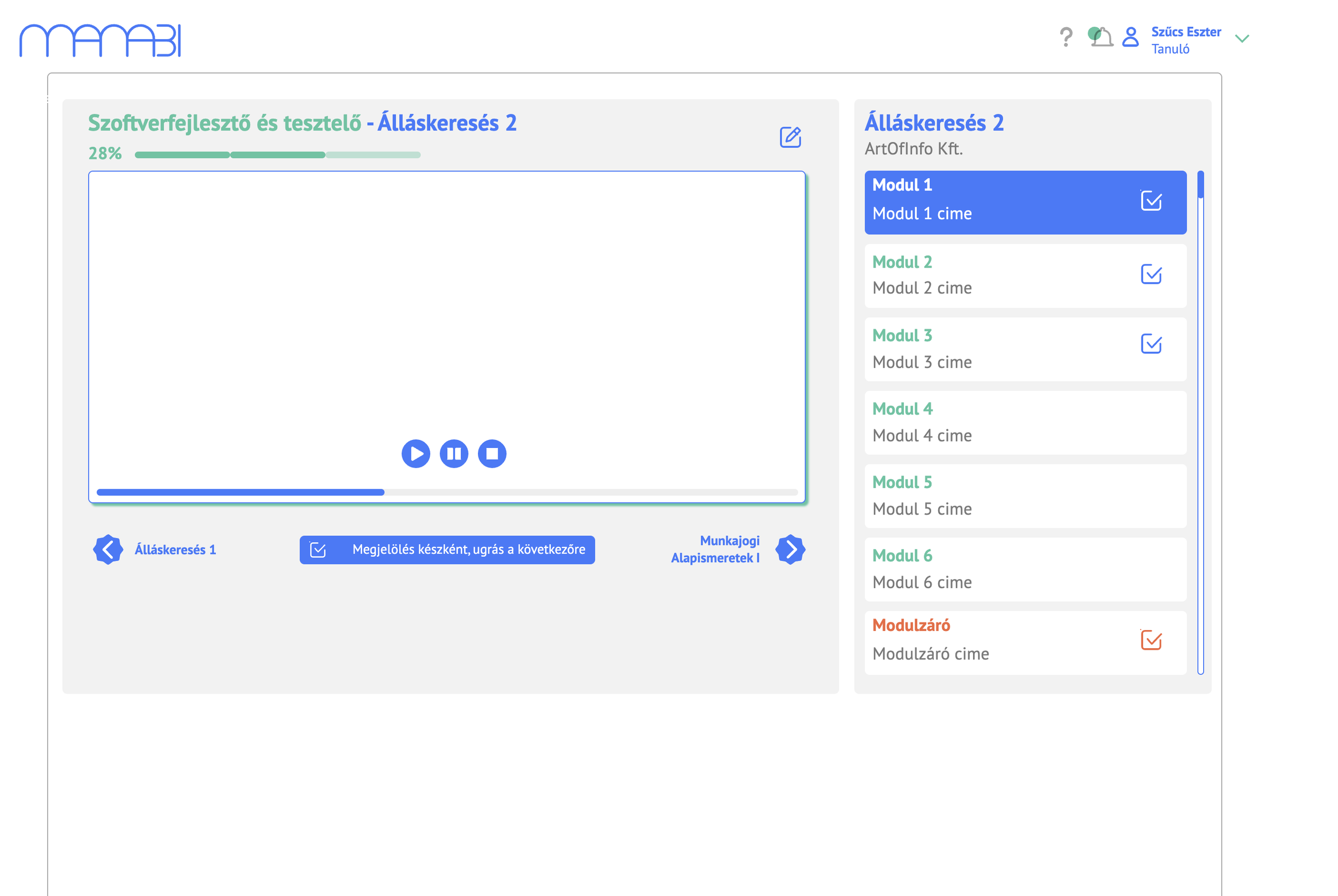
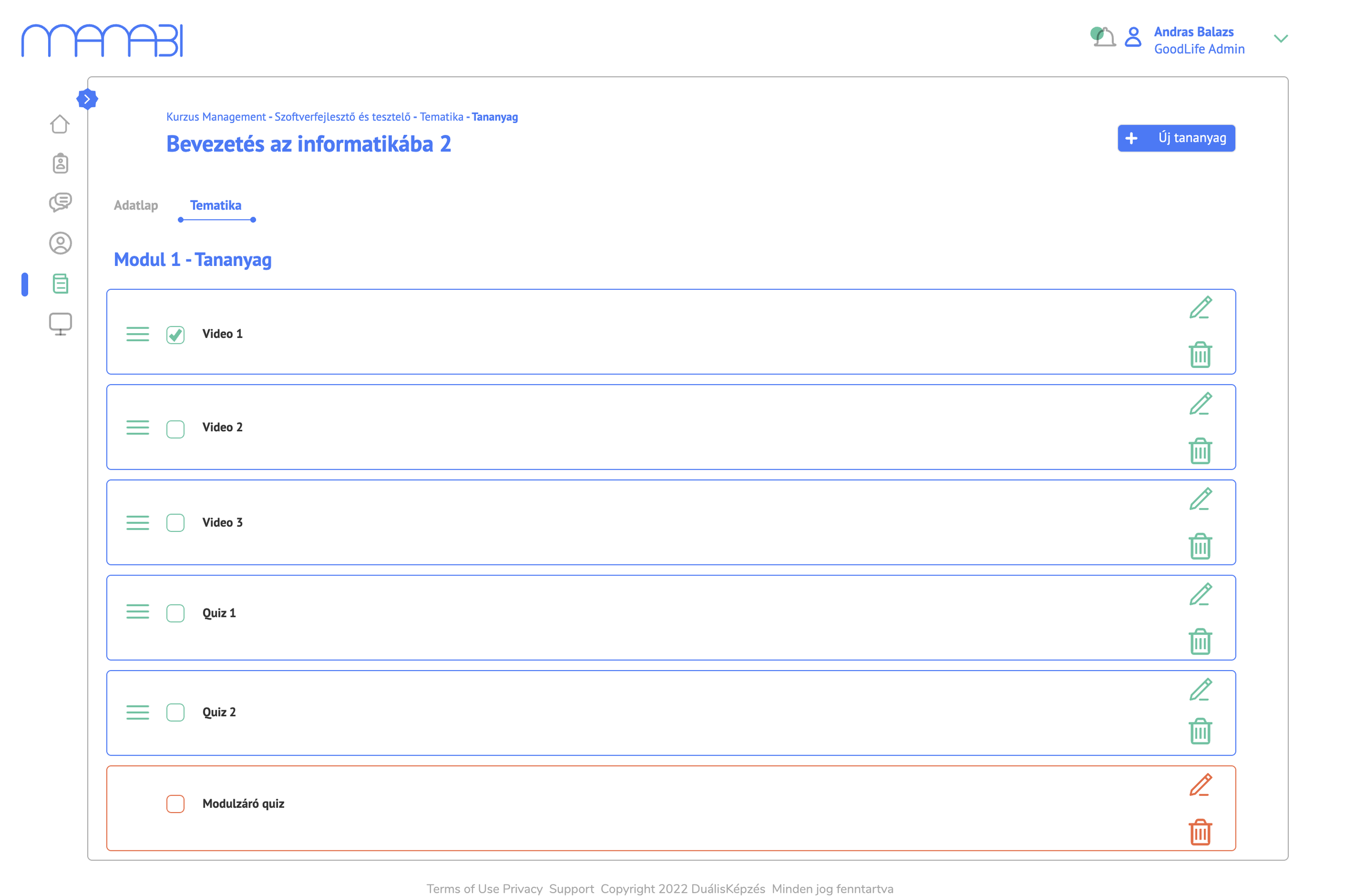
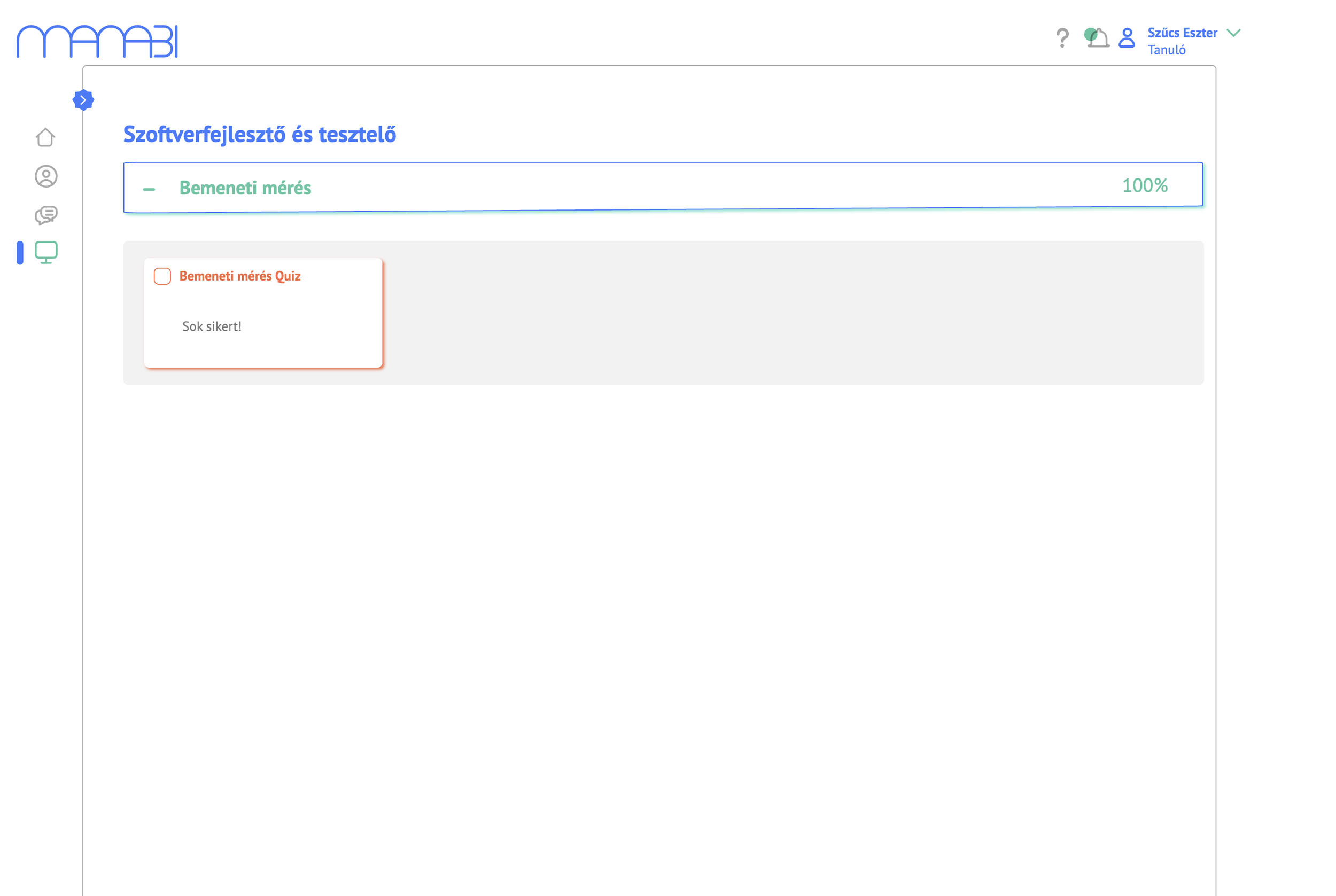
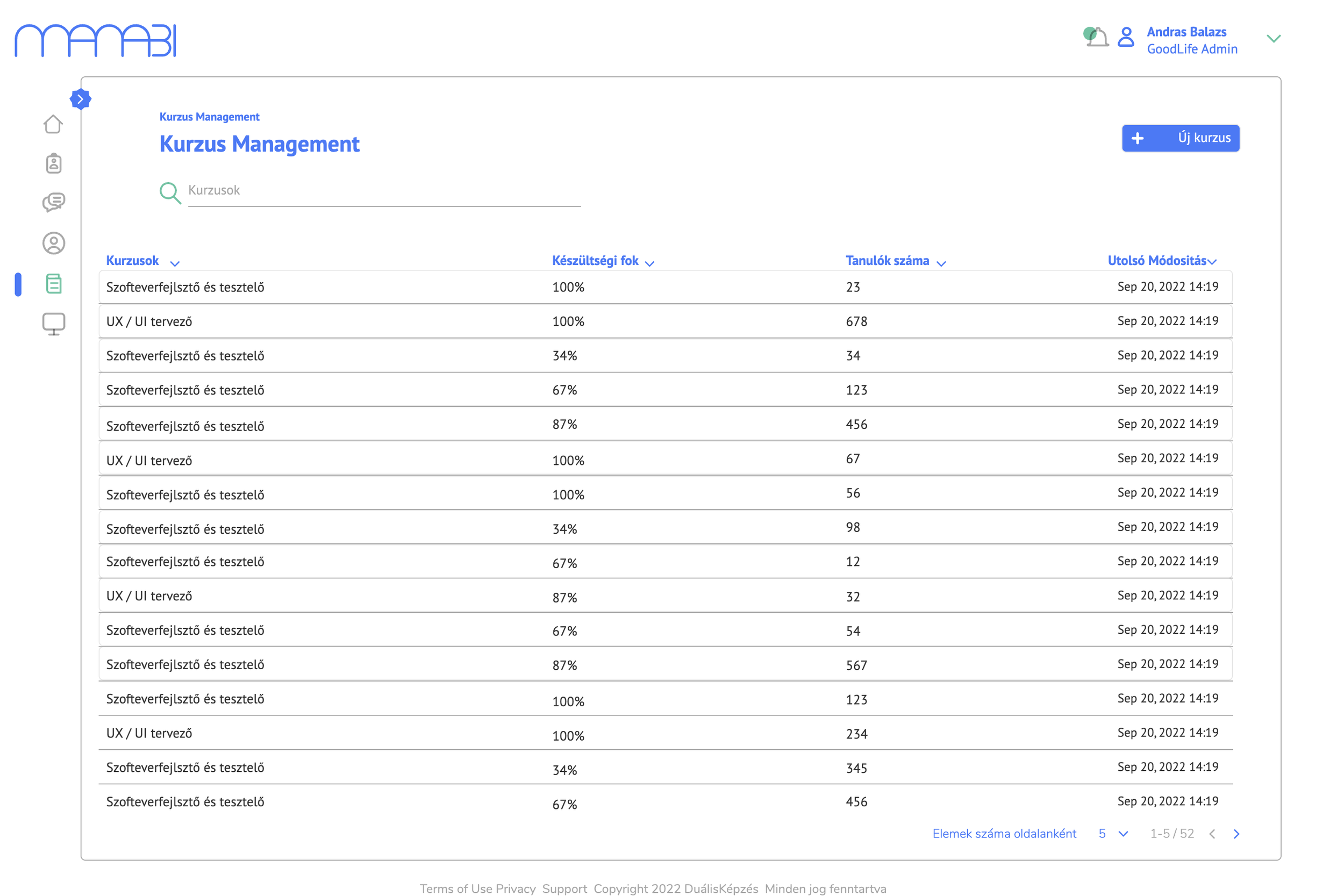
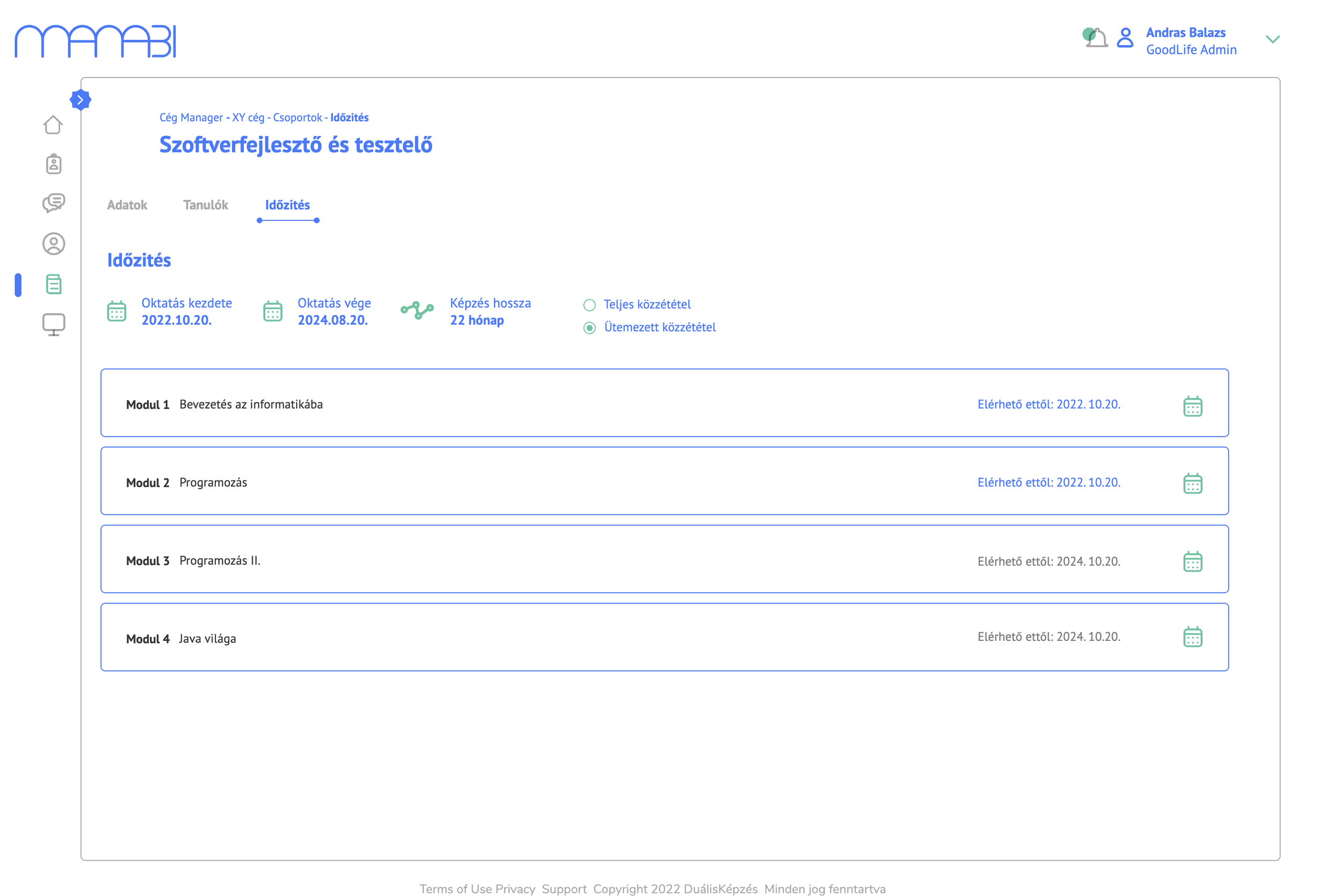
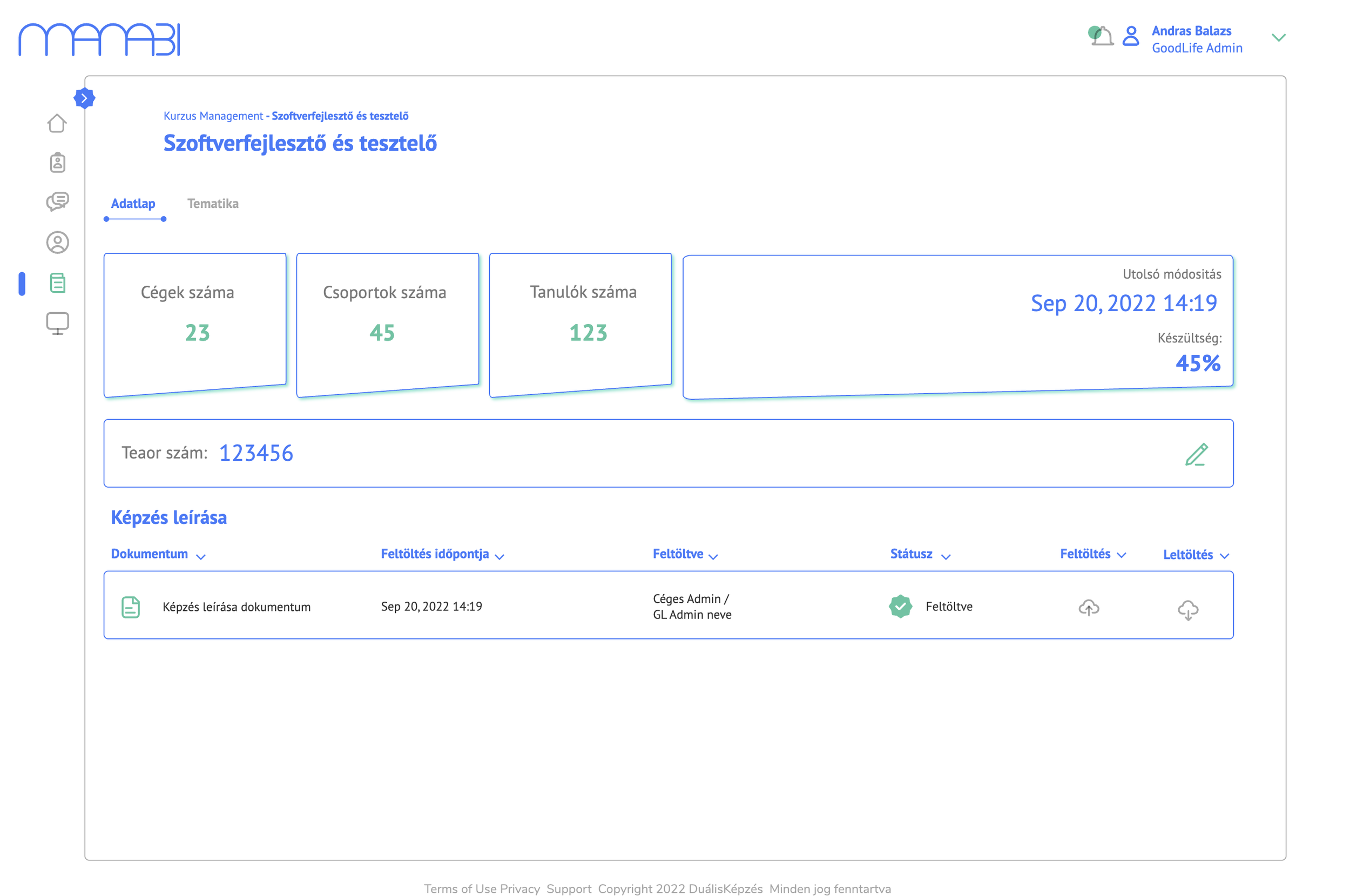
The course management side of the platform allows training centre admins to build structured curricula with modules, videos, notes, and quizzes. The quiz editor supports multiple question types (checkbox, yes/no, dropdown, free text) through a modal-based creation flow. Students experience the content through a split-panel layout — module navigation on the left, video player on the right — with real-time progress tracking.
5. LifeCycle and reporting
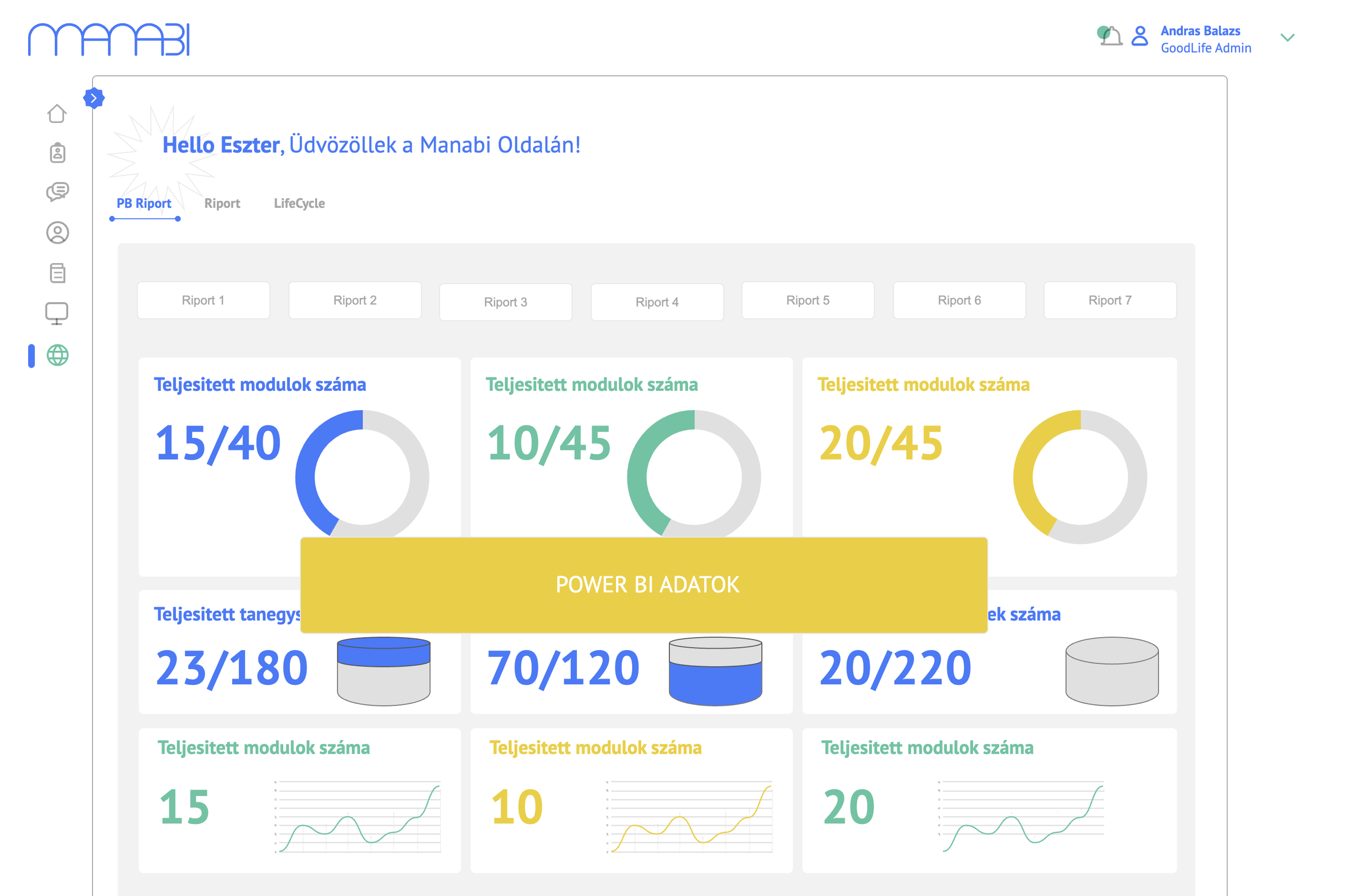
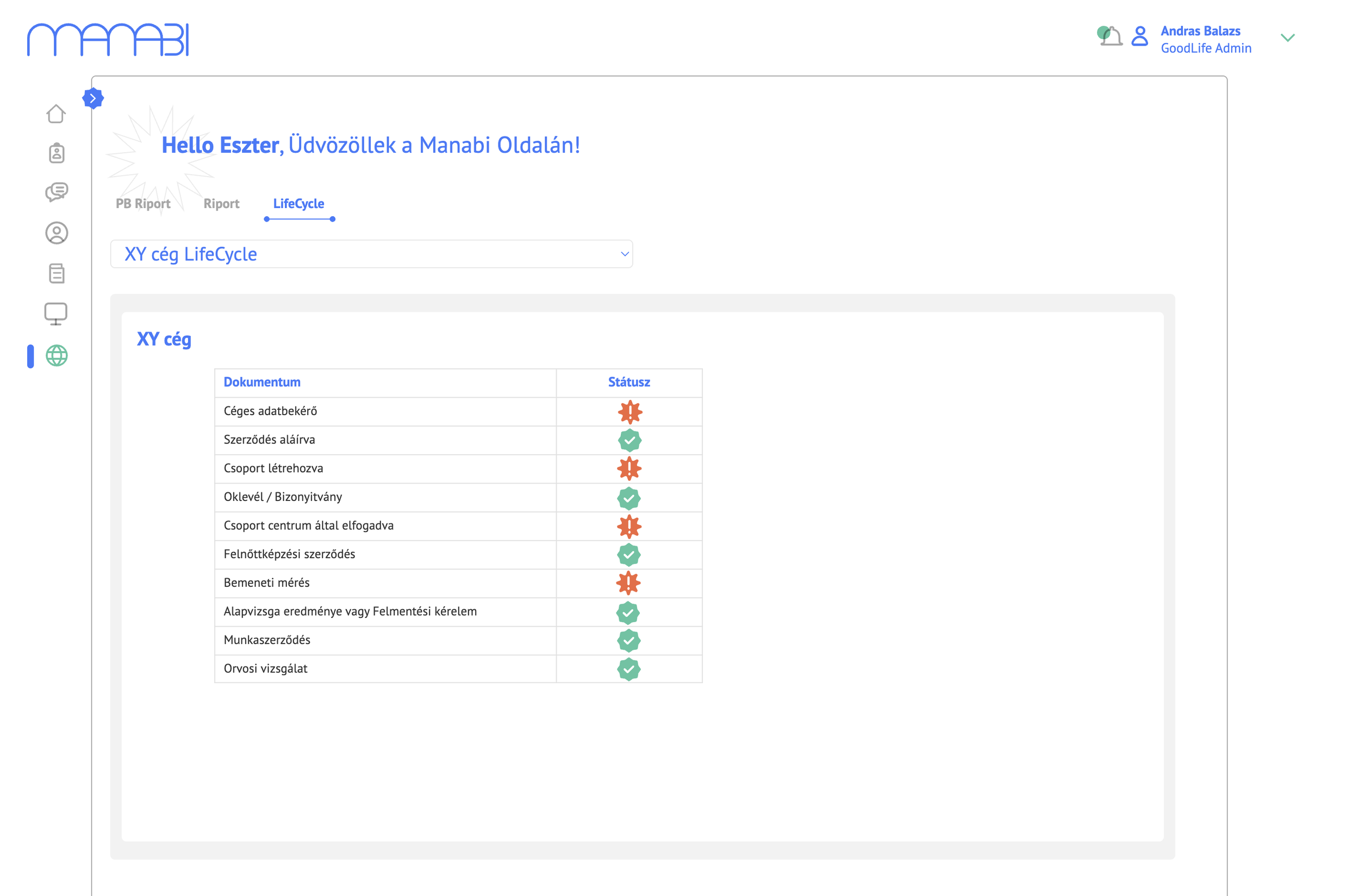
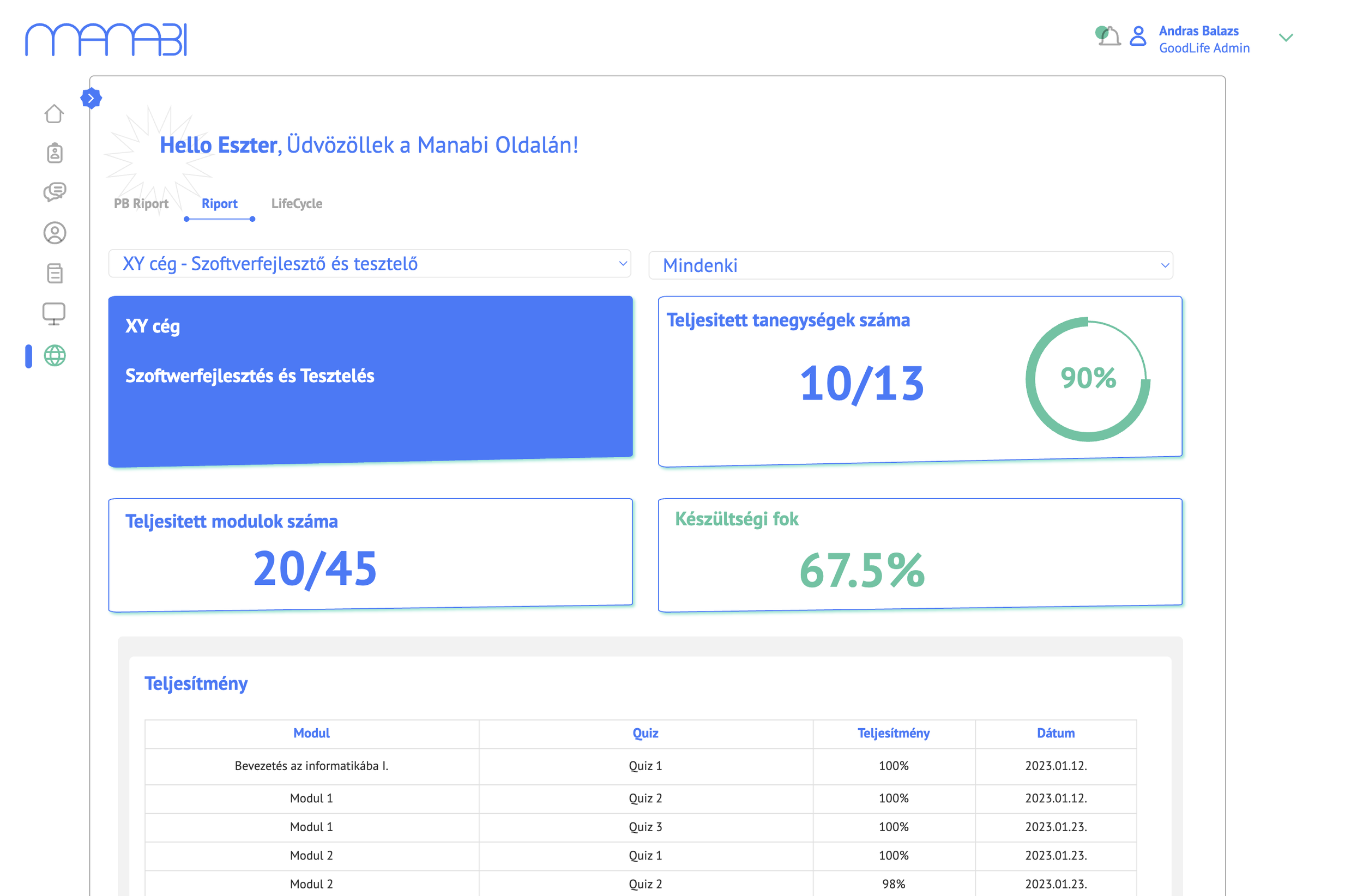
Admins can track the full onboarding and training lifecycle of any company or student through a dedicated LifeCycle view, showing each required step and its completion status. Power BI-powered reports provide aggregated data across companies, modules, and performance scores — giving training centres the oversight they need at scale.
6. Integrated communication module
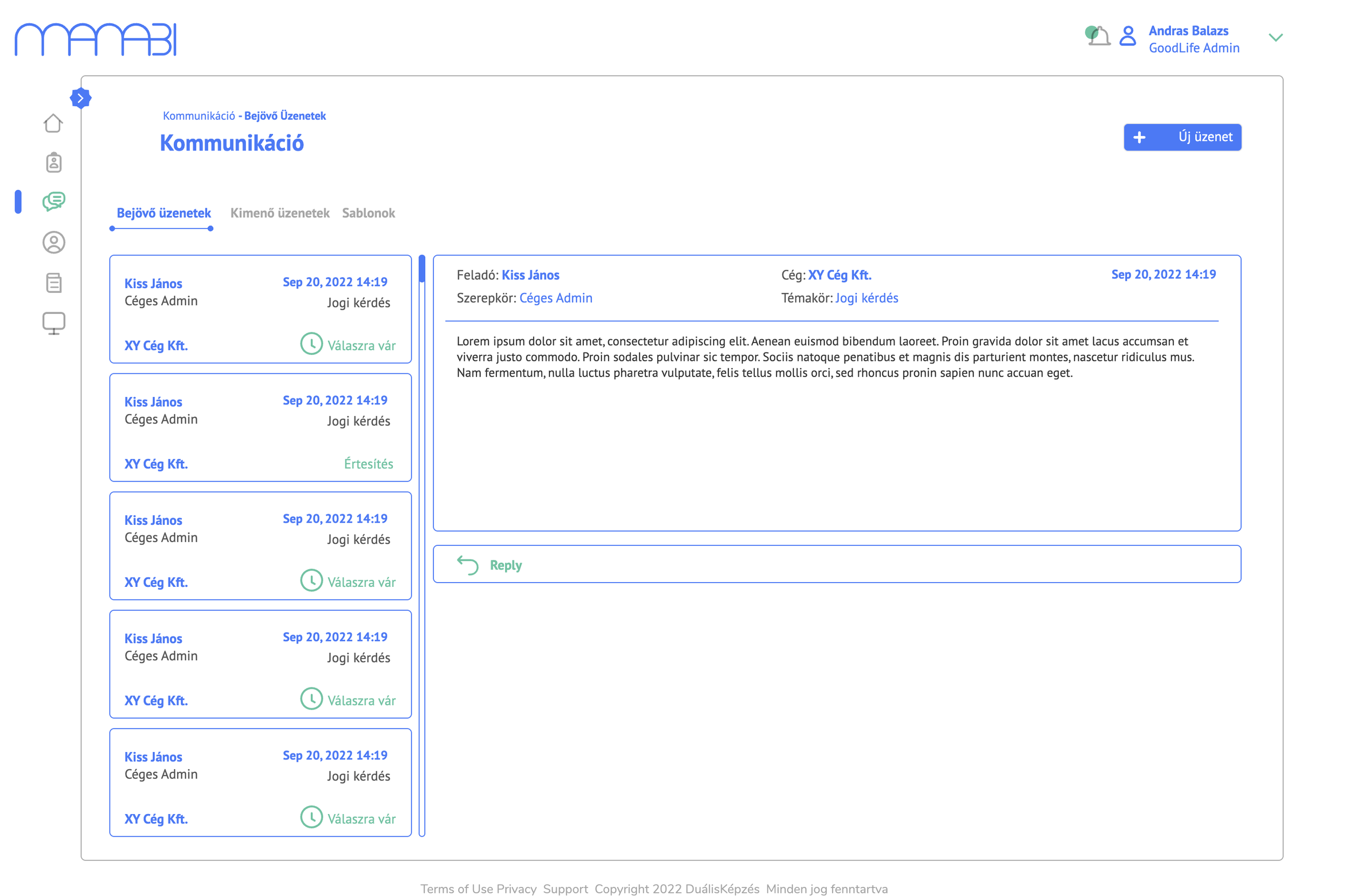
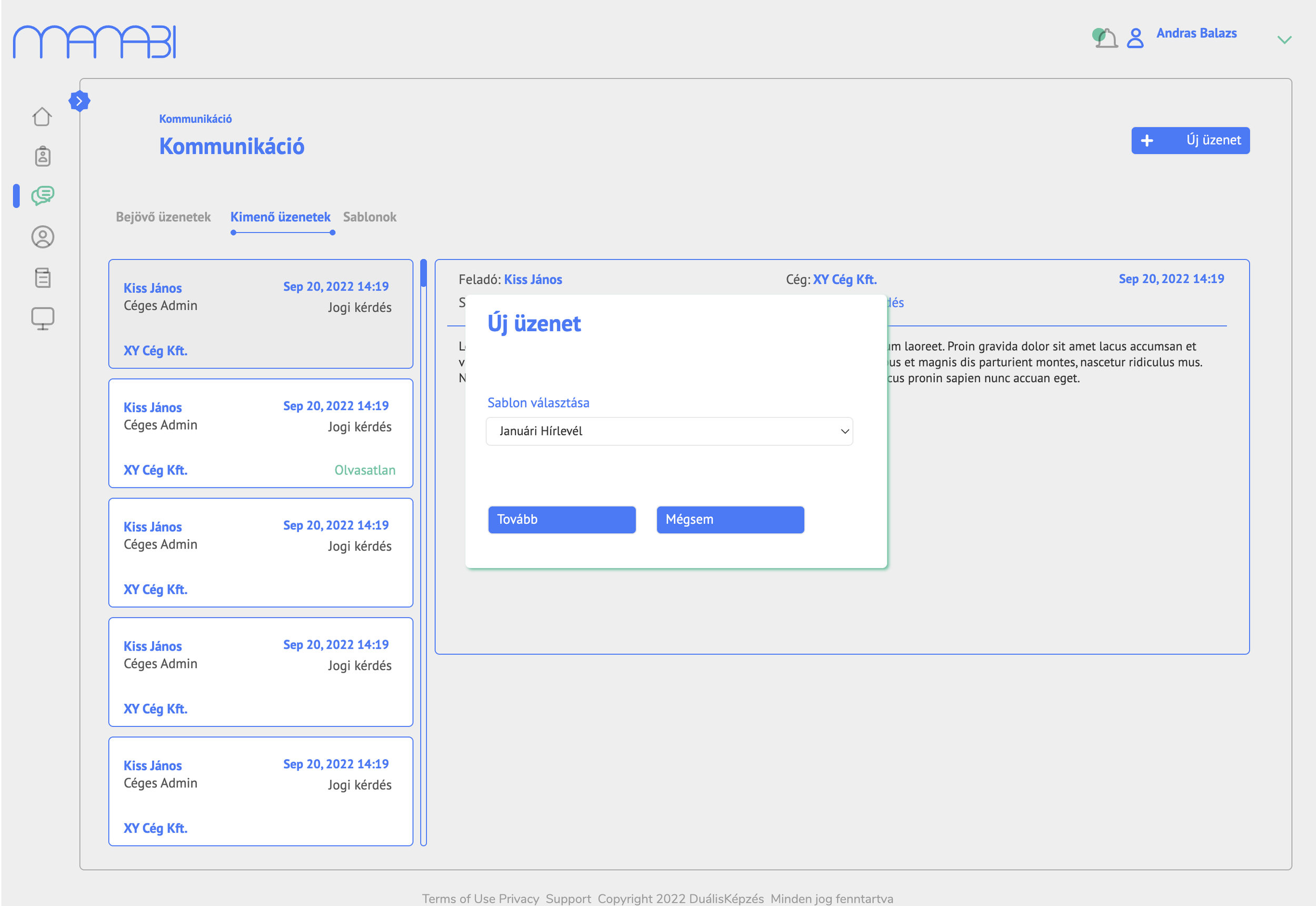
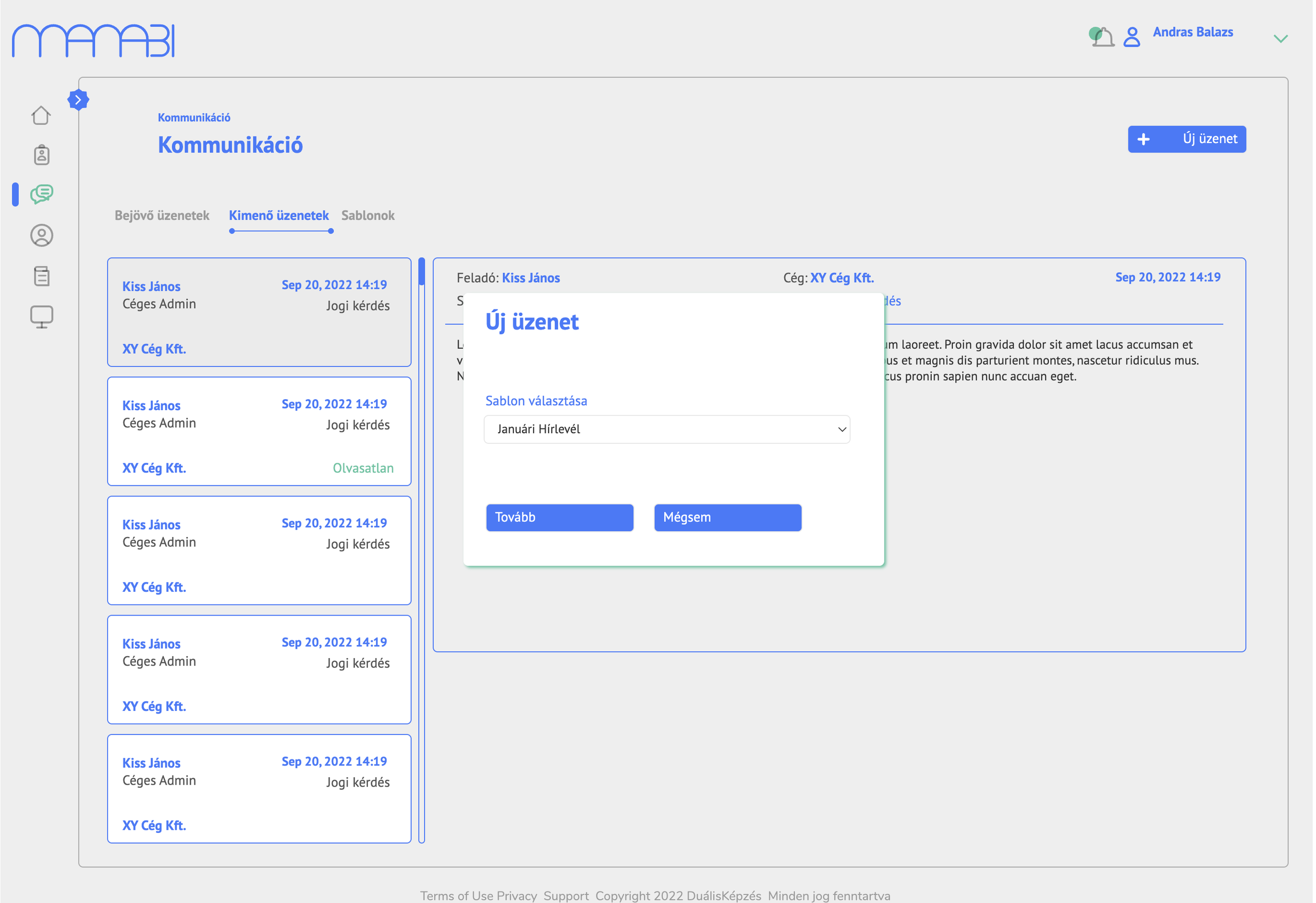
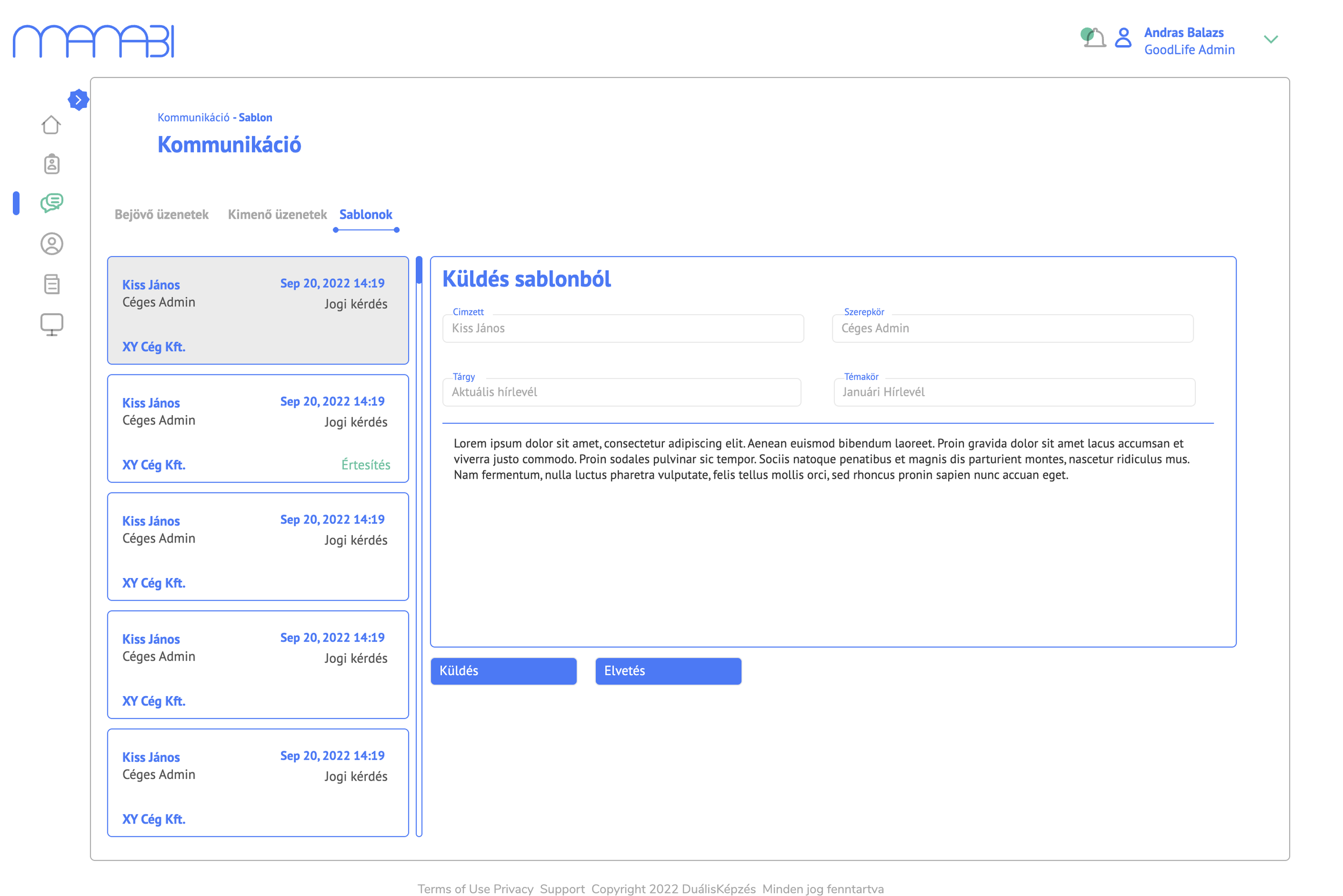
The platform includes a built-in messaging system with inbox, outbox, and template-based sending. Admins can respond to incoming queries, send template newsletters, and manage all communication in one place — without leaving the platform.